Other people write your search results
A search for your name brings up directories, old news items and social profiles. None of them says quite what you want to say, and some of the details are out of date.

Your Windows contrast theme is on; colours come from your system.
Your device is set to reduce motion; animations are already off.
Your choices are saved in this browser only.
Web design solution
A personal website is about you, not an organisation: who you are, what you specialise in, where you write and speak, and how people can reach you. Even if you change clinic, chambers or company, the address stays with you.
In short
A personal website carries the name of a professional such as a doctor, lawyer, psychologist, consultant or trainer and brings together their background, areas of expertise, publications, talks and contact details. When someone searches your name, they find a source you control among directory listings and social profiles. The difference from an organisation's website is focus: the brand being presented is the person.
Talha Aslan and teamLast updated:
When you need one
Not every professional needs a site of their own; if the profile on your employer's website does the job, it can stay there. If you are presenting a business and its services, the right place is our web design service. But if your name is your brand, the points below will sound familiar.
A search for your name brings up directories, old news items and social profiles. None of them says quite what you want to say, and some of the details are out of date.
A profile on a clinic, firm or company website belongs to that organisation. When you move on, the page disappears, and the visibility and links built up over the years go with it.
Articles in a journal, recorded talks on YouTube, certificates in a folder. Anyone researching you cannot see it all in one place, so the depth of your expertise goes unnoticed.
Google advises making it clear to visitors who created the content, with bylines that lead to background information about the author. If your articles are unsigned, or the byline leads nowhere, that trust signal is missing.
Sources: Google Search Central: Creating helpful, reliable, people-first content
Our approach
We design a personal site less as a business card and more as the answer to a search for your name: visitors see who you are and what you focus on at first glance, scroll through your training, experience and publications, then reach you by one clear route.
Domain, hosting and analytics accounts are opened in your name, and the site is handed over with an editor you can use yourself. Adding a new article, interview or talk takes a few minutes; if you prefer, our team takes care of updates for you.
Where your profession has its own rules and conventions, we build them in. Our doctor websites and psychologist websites pages explain the sector structure in detail; on a personal site the focus is the individual rather than the practice.
The person is the subject, not the organisation: every block answers two questions, why should I trust this person and how do I reach them?
Who is it for?
What visitors want to do after finding you decides where the emphasis goes.
Doctors and health professionals
Helps patients get to know the doctor before an appointment and find the right place to go.
Therapists, lawyers, coaches
Helps clients understand your approach and the way you work before the first session.
Consultants, trainers, speakers
Turns your projects, publications and talks into requests to work together.
What makes a personal website
Each element answers a question on the visitor's mind: who is this person, what do they know, and how do I reach them?
Your full name, or your name with your title; domain, email and accounts are registered to you. If you change employer, the address, links and search history stay with you.
Your photos instead of stock images, your sentences instead of boilerplate. Visitors who come to a first meeting should meet the person they saw on the site.
Training, specialties, memberships and certificates are listed with dates; verifiable details such as registration numbers or links to institutions add trust.
Articles, interviews, podcast episodes and talks sit in one list, each linked to its source. As the archive grows, your expertise speaks for itself.
Professions such as medicine, law and psychology are bound by their regulators' advertising rules. We write informative copy rather than exaggerated promises, comparisons or unsupported claims.
The contact form asks only for what is needed; a privacy notice and cookie consent are set up from the start, and messages from clients travel over a secure connection.
Comparison
| Topic | Employer profile and social media | Personal website |
|---|---|---|
| Ownership | The platform's or the organisation's | Domain and content are yours |
| Permanence | Gone when you move on or the platform changes | The same address throughout your career |
| Presentation | Limited space, fixed template | Pages built around your expertise |
| Archive | Posts get lost in the feed | Publications and talks in an organised list |
| Name search | Competes with other profiles | A source you control |
| Contact | Inboxes and comments | One measured route straight to you |
Quick check
Must haves: does your site have them?
0 of 6 in place Tick the boxes to see where your site stands.
Added as needed
We choose which of these you need together during the scoping call.
Tell us what you do, who looks for you and which publications and credentials you already have; we will come back with a page structure and a written quote.
Process
We define your business, your audience and the site’s one-sentence job: who it sells what to, through which action. Scope and timeline are written from that answer.
The home page and key templates come to you as designs first; no code is written before your approval. We do not like surprises, and we do not cause them.
The approved design becomes fast, secure, maintainable code. You follow progress in the CRM and see every page in a staging environment before launch.
The site goes live with analytics, Search Console and conversion tracking connected; panel training is given, first-year hosting and maintenance included.
Search and visibility
The home page title and description are written with your name and title, so the groundwork for appearing in searches for your name is in place from day one.
Person structured data describes your name, title, organisation and profiles to search engines in a consistent way.
The byline on your articles links to your about page, so the question of who wrote it is answered on every post.
Name, title and contact details on LinkedIn, Google Business Profile and professional directories match the site, with links running both ways.
Free tools
Preview how your name will look in search results, how a shared link appears and what your Person markup says, before the site is built.
SEO
Test your title and meta description with pixel-based measurement, desktop + mobile view.
Sharing
Preview how your link looks on WhatsApp, Facebook, X, LinkedIn and Telegram, and find missing Open Graph tags and image problems.
Tech SEO
Generate rich-result JSON-LD for Article, Product, FAQ, Local Business.
Bio
Write an Instagram, TikTok or X bio in seconds: hundreds of short, aesthetic and funny bio ideas, a builder for your name and niche, plus fancy fonts.
Conversion
Turn URLs, WhatsApp, Wi-Fi, vCard and text into a QR code in seconds; download high-res PNG or SVG.
Tech SEO
Test whether a page works well on phones: viewport, font size, tap targets, a mobile screenshot and Core Web Vitals.
Real projects
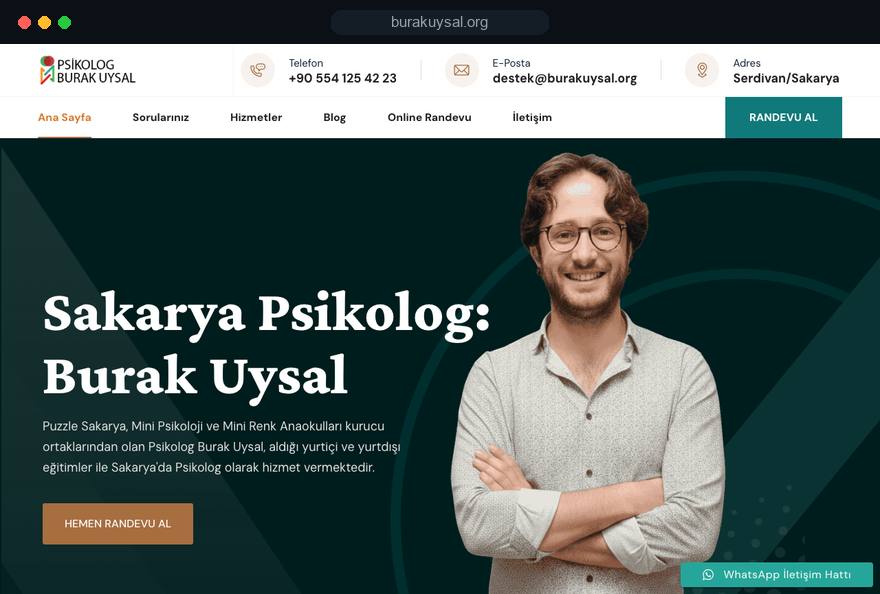
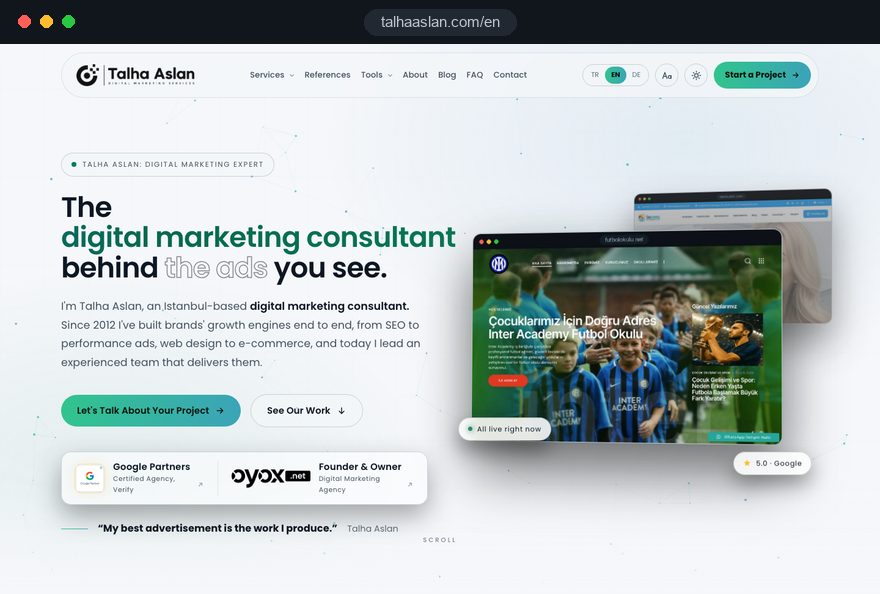
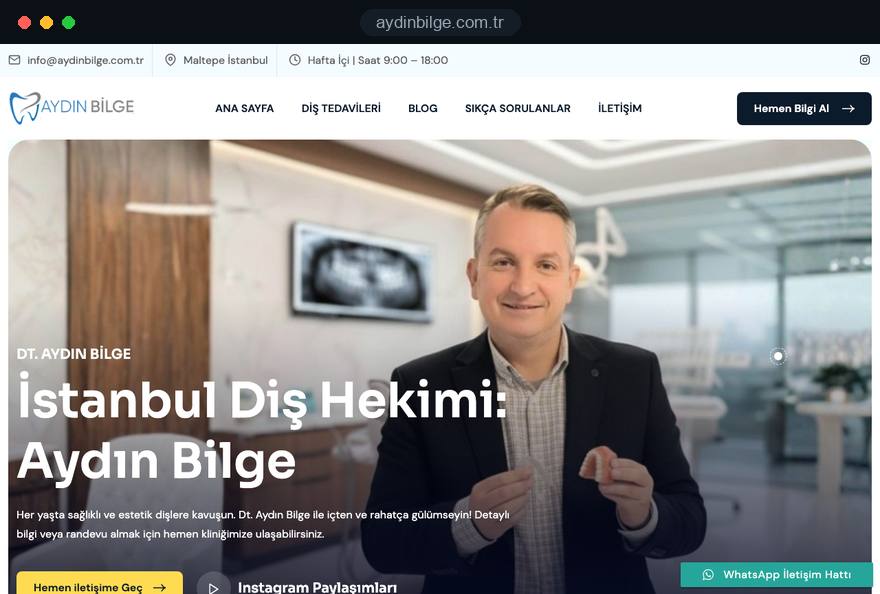
We have built sites for doctors and psychologists that people find by searching their names; talhaaslan.com is itself a brand site built around one expert's name. See all our work on the references page.
Dentistry · personal brand, web design, local SEO
Psychological counselling · personal brand, web design, local SEO
Digital marketing · personal brand site, three languages, blog
Related pages
Industries
Sites for practice and hospital doctors, built around the patient journey.
Industries
Psychologist websites built around client confidentiality and areas of therapy.
Industries
Law firm websites that stay within professional conduct rules.
Solutions
Let clients pick their own session time from a calendar.
 Why Is My Instagram Ranking Above My Website on Google? How to Win Back Your Brand SearchRead article
 What Is E-E-A-T? How to Optimise Content for Google's Trust CriteriaRead article
 How to Choose a Domain Name: A Practical Guide for BusinessesRead article
 How to Build Brand Authority with Content Marketing: Become the Trusted Source in Your IndustryRead article
FAQ
If your question is not here, write to us; we will send you an answer and a written quote.
Next step
Tell us what you do and who you want to reach; after a free 15-minute call we will send a written scope and quote.
In-depth guide
A personal website does its work at one specific moment: when someone types your name into a search box. Patients, clients, conference organizers and executives all want the same thing from that search, a quick answer to who you are, what you know and how to reach you.
In this guide, we at Talha Aslan and team walk through the decisions we make, in order, when building personal brand sites for doctors, lawyers, therapists, consultants and trainers: ownership, the first screen, your CV, expertise pages, the publication archive, author identity, professional rules, speed, contact and measurement.
A personal website makes sense when your name is a reason to search in its own right; if people only find you as an employee of an organization, a staff profile is often enough. Before deciding, search your name in a private browser window and write down every result on the first page.
If at least two of the following apply to you, a site of your own starts to pay off:
If none of these fit, updating your staff profile and completing your LinkedIn page is a better first step. If what you really want to present is a business, its team and its services, you need an organization's website rather than a personal one, and our web design service is the better starting point.
The value of a personal website comes from links and search history that build up over years, so the domain and every account behind it should be in your name from day one. A domain sitting in an agency's or employer's account becomes a negotiation on the day you leave.
Before any design work starts, we suggest going through these steps in order:
After launch, ask for an access sheet listing which account is registered to whom and when each renewal is due. That one document proves your personal website really belongs to you.
Someone who searches your name and lands on your site should see three things on the first screen: your name, your title and one sentence that says whom you help and with what. A slogan, an abstract image or a rotating slider cannot replace those three pieces of information.
That single sentence is what most professionals struggle with. "Clinical psychologist working with adults on anxiety and panic disorder" does far more than "Here to help people feel better", because visitors know within seconds whether they are in the right place.
The title and description shown in search results follow the same logic:
You can check whether your title gets cut off in search results with our Google SERP preview tool before the site goes live.
Your about text and your CV can live on the same page, but they do different jobs: the about text explains why you do this work and how you approach it, while the CV proves it.
Write the about section in a few short paragraphs, in the order visitors wonder about things: which problems you work on, how you came to this field, and what someone can expect from a session or project with you. Whether you write in the first or third person depends on your profession; first person feels warmer for anyone who works one to one with clients, while third person makes it easier for event organizers and journalists to copy your bio.
In the CV, every line you can verify adds trust:
Rather than uploading scans of certificates, link to the issuing body's verification page or public register wherever possible. An independent source persuades visitors more than an image you uploaded yourself.
A separate page for each area of expertise only helps if you have something real to say about that area. Ten thin pages that read alike make a weaker personal website than three well written ones.
To decide whether an area deserves its own page, ask: what five questions do people in this situation ask me before the first meeting? If honest, concrete answers to those questions fill a page, open one. If not, the area stays as a short description in the list of specialties on the home page.
A strong expertise page usually contains these blocks:
Many professionals feel uneasy writing "who this is not for", yet it is one of the lines that builds the most trust. An employment lawyer who writes "we do not handle criminal cases and refer them to colleagues" shows a clear focus.
The publication archive is the one part of a personal site that grows in value over time, so it needs a consistent template from day one. A loosely kept list becomes unmaintainable within a few years.
We suggest using the same fields for every entry: date, title, type (article, interview, talk, podcast, book chapter), outlet or event name, a short summary and a link to the source. A list that can be filtered by type and year lets visitors answer "what has this person done in the last two years" in seconds.
A few rules keep the archive healthy:
Filling the archive means looking back: old emails, event programs and past LinkedIn posts are good places to start. We usually do this review with you at the start of the project.
Everything you publish should link to a page that explains who you are; Google itself advises making it clear to visitors who created a piece of content, with bylines that lead to background information about the author. On a personal site, that page is your about page.
We build this in two layers. The visible layer is a byline at the start or end of each article with your name, title, a small photo and a link to your about page. The invisible layer is Person structured data, a short block of code that describes the information on the page in a format search engines can read reliably.
In Person structured data we usually fill in these properties:
If you want to try it yourself, our schema markup generator lets you fill in the fields and see the output. What matters is that the code never contradicts the page: showing "Associate Professor" on screen and a different title in the markup breaks consistency.
When the profiles that appear next to your site in a name search say the same thing as the site, trust grows; when they contradict each other, visitors start wondering which one is right. That is why the first job after launch is bringing outside profiles into line.
Build a simple sheet: profiles in the rows, and in the columns the spelling of your name, your title, a short description, place of work, phone number and website address. Using a middle name or initial on some profiles and not on others splits your results.
The places we suggest checking, in order of priority:
This is not a one off task; whenever your title, workplace or phone number changes, the sheet comes out again. If you also want to be found for the topics you work on, beyond your own name, we can plan content and run technical checks together through our SEO service.
In medicine, law and psychology, what a personal website may say is shaped by professional rules and data protection law, and those limits should be known before design starts. A site corrected after launch costs both time and credibility.
The rules differ by country and profession, so we work from your regulator's current guidance rather than general assumptions. Two examples show how specific they can be.
In the UK, the GDC expects a dental website to show the dentist's name, practice address and contact details, the GDC's address or a link to its website, each professional's qualifications with the country they were obtained in and their GDC number, and it reserves the word "specialist" for those on a specialist list. In Turkey, regulations ban advertising of health services and allow before and after images only under strict consent, dating and warning conditions.
Lawyers face their own bar rules on advertising and solicitation; our lawyer website page covers that structure in more detail.
On the data side, we set up these points from the start:
Before publishing testimonials from patients or clients, check whether your professional rules allow them at all.
The parts of a personal brand people notice first are the photos and the tone of the writing; someone who comes to a first meeting should meet the person they saw on the site. Stock images and boilerplate sentences break that match.
We recommend not limiting the shoot to a single portrait. A handful of different images keeps every section of the site from repeating the same face:
We write the copy based on an interview with you. We ask questions such as "why do you do this work", "what do clients most often get wrong about your field" and "what happens at a first meeting"; the words you use in your answers become the backbone of the text. The result should read like you, not like an agency.
When you review drafts, read them aloud; any sentence you would not say to a client in person should come out.
A personal website is opened on a phone most of the time: from a link in a message, from a LinkedIn post or from a search right after an event.
Google's Core Web Vitals give useful targets here. LCP, largest contentful paint, measures how long the largest element on the page takes to load, and 2.5 seconds or less counts as good. INP, interaction to next paint, measures how quickly the page responds to a tap, with 200 milliseconds or less as good. CLS, cumulative layout shift, measures how much elements jump around while loading, and 0.1 or less is good. All three are assessed at the 75th percentile of visits.
The things that slow personal sites down are predictable:
Also check the title, description and image that appear when your site is shared on WhatsApp or LinkedIn. Our Open Graph checker shows how your link will look, so you can fix a wrong image or missing title before launch.
Contact on a personal site should run through one clear route; offering visitors five options often means they use none. The main route is decided by what visitors most often want from you.
For doctors and therapists, that is usually a consultation request; for consultants, an introductory call; for speakers, an invitation form. An invitation form with fields for event date, location, audience and topic does the first round of screening for you, while a patient or client form keeps its fields to a minimum. If you want clients to choose their own session time, look at our appointment booking website setup.
Without measurement, whether the site works is a matter of guesswork. We track these events separately:
Looking at these numbers and at searches for your name in Search Console once a month is enough. If impressions for your name grow over time and clicks go to your site, your personal website is doing its job; if not, the first place to look is the consistency of your outside profiles.
Most mistakes we see on personal sites are not technical; they are decisions nobody made at the start about what to say, who owns what and how the site stays current. Run this list against your current site or plan:
None of these mistakes requires rebuilding a personal website; most can be fixed in a few hours.
The right partner for a personal website thinks about presenting you before thinking about design, and leaves ownership with you from the start. We suggest asking every agency that quotes for your project these questions:
A quote that cannot answer these clearly can turn into a site you do not really own within a few years. A personal website is an archive that grows with your career, so ask too who handles updates and backups after launch. You can see the personal sites we have built for doctors and psychologists among our client references.
Personal sites can often be covered by one of our fixed scope packages; you can see the current options in the pricing section of our web design page. If your scope is different, tell us briefly what you do and whom you want to reach through the contact form, and we will work out the page structure and a written quote with you.
Start a Project
Thanks {name}, we've received your brief. We usually reply within the same day.
What happens next?