Finding a time takes a chat thread
Does Tuesday work? Full. Wednesday afternoon? Back-and-forth messages for a single appointment eat into the team's day, and when a reply is slow the client books elsewhere.

Your Windows contrast theme is on; colours come from your system.
Your device is set to reduce motion; animations are already off.
Your choices are saved in this browser only.
Web design solution
An appointment booking website lets clients book without waiting for someone to pick up the phone: they choose the service, the practitioner and a time that suits them. The calendar shows only slots that are really free, confirmations and reminders go out on their own, and your team spends its time on clients instead of messages.
In short
An appointment booking website lets visitors book online by choosing a service, a practitioner, a day and a time. The calendar follows your opening hours and service lengths, so it shows only free slots; confirmations and reminders are sent automatically and a deposit can be taken if you want. Compared with booking by phone, clients can book outside working hours and the diary lives in one place without double bookings.
Talha Aslan and teamLast updated:
When you need one
A business that takes a few appointments a day and handles them comfortably by phone does not need a booking system; a good website and a visible phone number are enough. If the points below sound familiar, though, the diary belongs on the website.
Does Tuesday work? Full. Wednesday afternoon? Back-and-forth messages for a single appointment eat into the team's day, and when a reply is slow the client books elsewhere.
Clients often decide to book in the evening or at the weekend. If nobody answers then, the enquiry waits until the next day and some never come back.
When reminders are sent by hand they get skipped on busy days. A no-show slot cannot be given to anyone else and the day ends up with holes in it.
Several practitioners, a paper diary and a shared phone: two clients booked into the same slot, or an appointment on someone's day off, are common problems.
Sources: ICO: What is special category data?
Our approach
We map your booking rules with you before anything is built: how long each service takes, how much buffer you need between clients, which practitioner works on which days and how late a client can cancel. Because the calendar runs on these rules, clients only see times you can actually offer.
Depending on the size of the business we choose one of three set-ups: a request form, a live calendar inside the site, or a link to the booking software you already use. Every appointment is stored with its source, so you can see how many bookings came from Google Ads or from search.
For health and therapy practices we keep the form short and do not ask for symptoms or diagnoses. For sector details see our pages for psychologists and dental clinics.
Your rules run behind the calendar: service lengths, buffers, working hours per practitioner and the cancellation window are set once.
Which set-up?
The number of appointments, the number of practitioners and the software you use decide which set-up the site runs on.
Request form
The client suggests a day and time, and your team confirms by phone or message.
Live calendar
The client picks a service, a practitioner and a free slot; the booking is created on the spot.
Linked to your software
The online booking screen of your clinic or salon software is connected to the site.
Booking system settings
A calendar is only useful when the rules behind it match how the business really runs.
Each service has its own length and its own preparation time afterwards, so a 45-minute session is never followed by a new booking five minutes later.
Working days, lunch breaks and leave are kept separately for each practitioner. Clients can choose a person or simply take the first available one.
The confirmation goes out at once and the reminder at the interval you set. A link in the message lets the client move or cancel, and the freed slot opens again.
If you want, a deposit or prepayment is taken during booking through a payment gateway. Refund and cancellation terms are shown clearly on the payment screen.
Where the chosen platform supports it, appointments land in Google Calendar or Outlook, so each practitioner sees their day on their own phone.
The form asks only for what the booking needs. Under UK GDPR, data concerning health is special category data, so we leave symptoms and diagnoses out of the form and for the consultation itself.
Comparison
| Topic | Phone and WhatsApp | Appointment booking website |
|---|---|---|
| Availability | During opening hours, when someone answers | Any time, on the website |
| Free slots | Asked for and found by messaging | Only free slots shown in the calendar |
| Reminders | Sent by hand, easy to miss | Automatic, at the interval you set |
| Changes and cancellations | Another call or chat | By link, within your policy |
| Several practitioners | One diary, risk of clashes | A separate calendar for each |
| Tracking | No idea where a booking came from | Every booking stored with its source |
Quick check
Must haves: does your site have them?
0 of 6 in place Tick the boxes to see where your site stands.
Added as needed
We choose which of these you need together during the scoping call.
Tell us how many practitioners you have, how long your services take and how appointments are made today; we will suggest the right set-up and send a written quote.
Process
We define your business, your audience and the site’s one-sentence job: who it sells what to, through which action. Scope and timeline are written from that answer.
The home page and key templates come to you as designs first; no code is written before your approval. We do not like surprises, and we do not cause them.
The approved design becomes fast, secure, maintainable code. You follow progress in the CRM and see every page in a staging environment before launch.
The site goes live with analytics, Search Console and conversion tracking connected; panel training is given, first-year hosting and maintenance included.
Search, speed and tracking
Nobody searches Google for a calendar; they search for a service. Each service gets its own page written for search, and the booking button on that page leads to the calendar.
A booking link can be added to your Business Profile, so people who find you on Maps reach the same calendar, and those bookings are tracked separately.
Booking scripts load only where they are needed; service pages stay fast on mobile and Core Web Vitals are measured before launch.
Not the button click but the confirmed appointment is sent to Analytics and your ad account as a conversion, so you can see which channel brings bookings.
Free tools
Create a WhatsApp link and a QR code for your booking page, test how it works on mobile, and measure your booking conversion rate and its sources.
Conversion
Create a wa.me link with a preset message + embeddable button code.
Conversion
Turn URLs, WhatsApp, Wi-Fi, vCard and text into a QR code in seconds; download high-res PNG or SVG.
Tech SEO
Test whether a page works well on phones: viewport, font size, tap targets, a mobile screenshot and Core Web Vitals.
Conversion
Calculate conversion rate, CPA and revenue per visitor, and plan how much traffic you need to hit your goal.
Analytics
Build correctly tagged links with Google Ads, social and newsletter presets.
Tech SEO
Generate rich-result JSON-LD for Article, Product, FAQ, Local Business.
Real projects
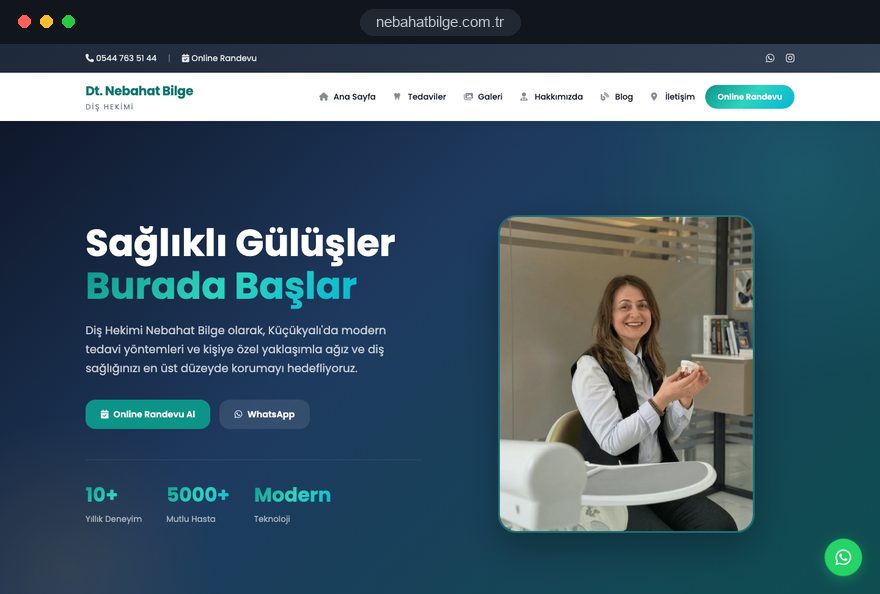
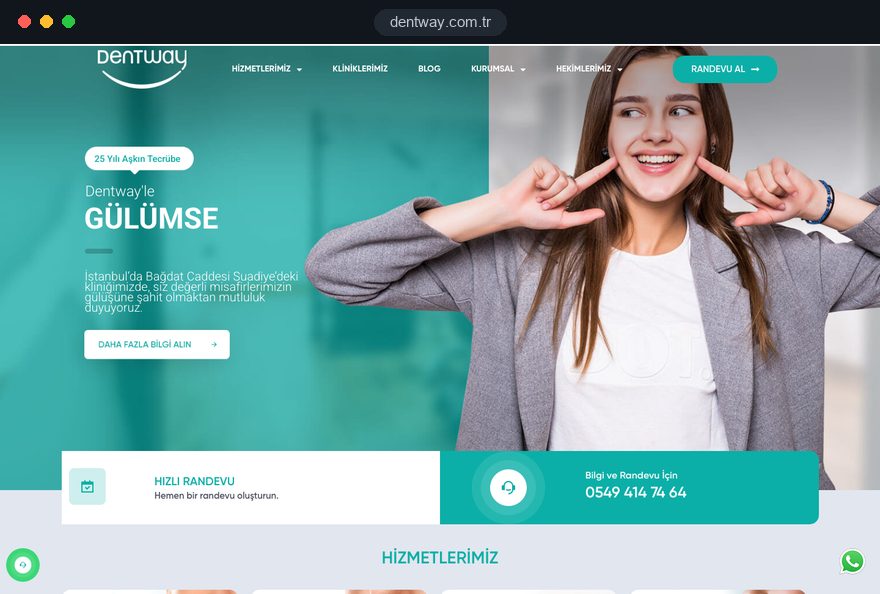
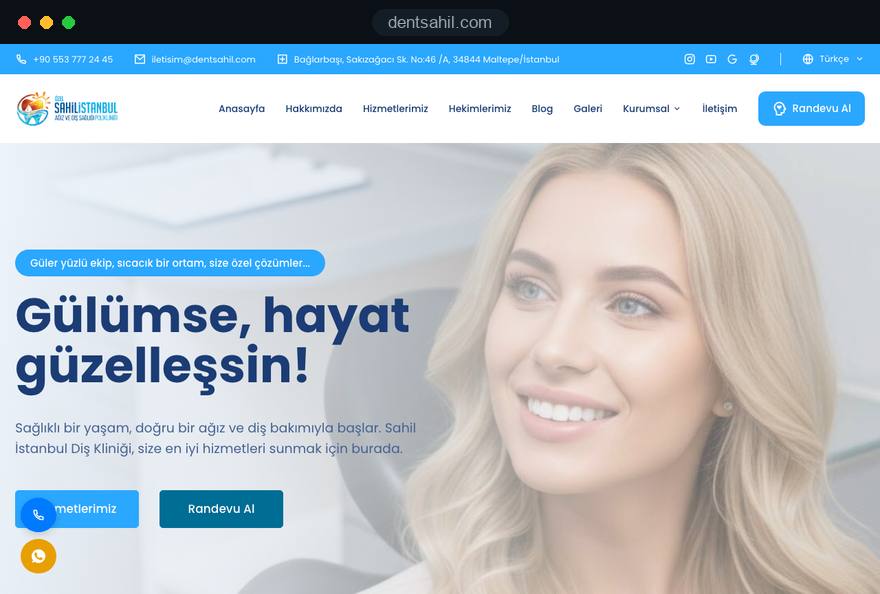
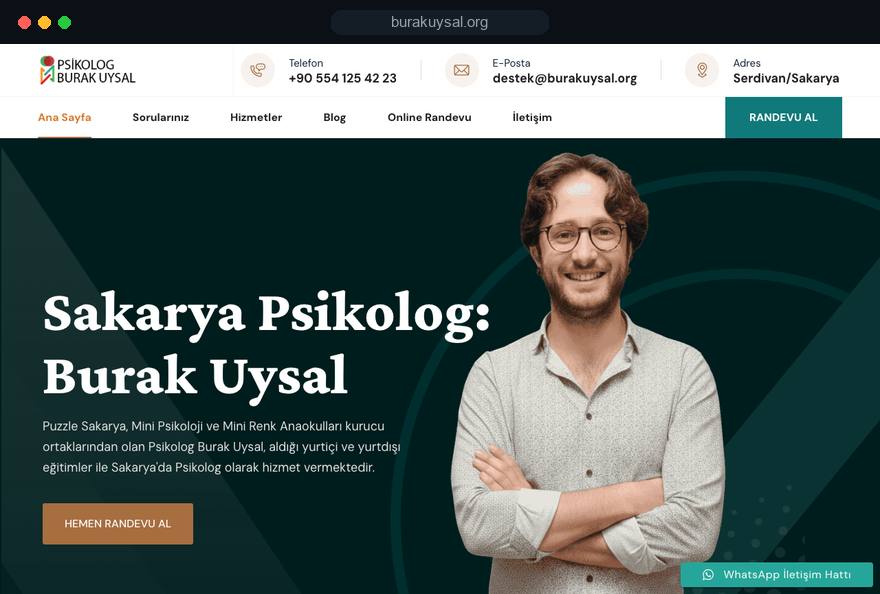
We have built booking flows for psychologists and dentists in Turkey, from live calendars to request forms. See all our work on the references page.
Psychology practice · web design, online booking calendar, local SEO
Dental clinic · web design, online booking page, local SEO
Dentist · web design, appointment request form, local SEO
Dental clinic · interface and web design, booking hand-off
Related pages
Solutions
When you sell a table, room or place rather than someone's time.
Industries
Sector-specific websites for psychologists who book sessions.
Industries
For clinics that book by dentist and treatment.
Industries
For salons working with several specialists and service lengths.
 Lead Form Design for Booking, Quote and Demo Requests: UX Rules That Lift ConversionsRead article
 How to Choose a Payment Gateway: What to Check Before You SignRead article
 How to Build a GDPR and KVKK Compliant Website: A Business GuideRead article
 Website CRM Integration: How to Track Form Leads AutomaticallyRead article
FAQ
If your question is not here, write to us; we will send you an answer and a written quote.
Next step
Tell us about your services, your practitioners and how you take bookings today; after a free 15-minute call we will send a written scope and quote.
In-depth guide
An appointment booking website does more than put a calendar online. It turns the way your business actually runs into written rules and then applies those rules every hour of every day, including the hours when nobody answers the phone. When the rules are vague, the calendar does not create order; it creates a new kind of confusion.
This guide follows the decisions we make on an appointment project in the order we make them: whether you need online scheduling at all, how to write the rules, which setup to choose, the form, reminders, deposits, mobile use, search, measurement and launch. Each section ends with something your team can check or do this week.
The most reliable way to decide is to count your own booking traffic for four weeks instead of guessing. Online scheduling does not help every business equally; an office that books two or three appointments a day and always answers the phone gains little.
Give whoever handles bookings a simple sheet and ask them to note a few facts for every request. After four weeks the sheet shows what a system would change, based on your own numbers rather than a sales pitch.
If after hours requests, long message threads and missed appointments take up a visible share of the sheet, an appointment system solves a real problem. If the sheet looks calm, a well built business website with a visible call button is enough for now, and booking can be added later.
The quality of an appointment system depends on the rules you give it, not on the software. That is why our first meeting is not about screens; it is about writing down, in one document, the rules your team currently keeps in their heads or in a paper diary.
This document often starts a useful debate; it is usually the first time anyone notices that two practitioners allow different lengths for the same service. Once it is settled, setup moves quickly, because every calendar setting maps to a line on that page.
The right setup depends on how predictable your appointments are and where your diary lives today. All three options have their place, and the wrong choice can stop a well designed site from producing bookings.
A request form suits work whose length is only clear after an assessment; the client states a preference and your team confirms. A live calendar suits businesses with fixed service lengths and several practitioners, and it removes almost all back and forth. If you already run practice or salon software with an online booking screen, connecting the site to it removes the risk of double entry.
Answer these questions with your team before you choose:
If you sell tables, rooms or places rather than a person's time, you are managing resources, and a reservation website is the better starting point.
The first screen is where most clients stall on an appointment booking website. Teams use internal names for services that clients do not recognize, so the service list has to be rewritten in the words clients actually use.
In healthcare, service names must stay factual and must not promise outcomes; for UK dental practices, the GDC expects each professional's name, qualifications and registration number to be shown. We cover clinic specific detail in our dental clinic website guide. When the screen is ready, ask someone outside the team to book a test appointment while you watch where they hesitate; it is the fastest usability test there is.
Every free time the calendar shows is the result of several settings working together, and if one of them is wrong, clients either book a time you cannot honor or never see times you could offer. During setup we confirm each of these with you individually.
Group sessions or services that take several people at once need a calendar that supports capacity. Entering public holidays, training days and planned closures once at the start of the year is far less work than sending cancellation messages later. After setup, replay a typical week for one practitioner in the calendar and compare it with the paper diary; missing rules show up immediately.
The booking form should ask only for what is needed to create the appointment and reach the client. Every extra field lowers completion and increases the amount of data you have to store and protect.
For most businesses, name, mobile number and email are enough; we leave out date of birth, home address or ID numbers unless there is a real need. If you offer a notes field, add a short line asking clients not to enter health or personal details there.
If a third party booking tool is used, read where it stores data and its data processing terms before setup; practices bound by health privacy rules such as HIPAA in the United States should ask whether the vendor signs the agreements those rules require. Also write down who on your team can see booking data, and close accounts the day someone leaves.
A clear message sequence is the cheapest way to reduce missed appointments, and each message should have one job. Long promotional messages go unread; short, useful ones get read.
Hiding the cancel link is a false saving: a client who cannot cancel simply does not come, and the slot is lost. A slot cancelled through the link reopens at once, and if you keep a waiting list, the next person can be notified. Appointment reminders are service messages; if you plan to send promotions on the same channel, make sure separate consent exists.
Before launch, have someone read every message on their own phone. The sender name should match your business name, time and address should sit in the first line, and the link should open with one tap, so the message is not mistaken for spam.
Prepayment helps when a missed appointment is expensive and gets in the way when you want the first step to be easy. That is why we recommend switching payment on only for the services that justify it, not across the board.
When payment is on, the cancellation window, the refund condition and how long a refund takes must be written right above the pay button. Talk to your payment provider early about card authentication, which in the UK and the EU usually means 3D Secure, and about refunds, so the launch date is not held up. Never launch the payment step without testing it on a phone with a real card.
In the first two months after switching payment on, compare request volume with the period before. If requests drop noticeably, limit deposits to long procedures or lower the amount.
Most bookings are made on phones, so the appointment flow should be designed first for a small screen used with one thumb. A monthly grid that looks tidy on a desktop can turn into boxes too small to tap on a phone.
For speed, Google's Core Web Vitals are a useful checklist: LCP, which measures how fast the main content loads, should be 2.5 seconds or less; INP, which measures how quickly the page responds to a tap, 200 milliseconds or less; CLS, which measures layout shift, 0.1 or less. Loading the booking scripts only on the booking screen is the most effective way to keep service pages within those limits. Run your pages through our mobile friendly test before launch, and test on a mid range phone that is a few years old, on mobile data.
People do not search for a calendar; they search for a service and a place, so the page that wins the appointment is a well written service page. The booking screen is the last step that welcomes visitors arriving from those pages.
Each service page should explain who the service suits, how the process works and the common questions. Its booking button should open the calendar with that service already selected, so the client never repeats the choice.
With several locations, each one needs its own page, its own profile and its own booking link, and the calendar should show only practitioners who work there. For service page writing and local visibility handled together, see our SEO services.
The event that matters on an appointment booking website is a confirmed booking, not a click on the button. Counting clicks as conversions makes everyone who opened the calendar and gave up look like a success and misleads ad decisions.
Cookie consent affects measurement too: visitors who decline may be missing from analytics reports, and in the EU, non essential tracking needs consent first. Comparing the booking software's own records with analytics every month shows the real picture.
An appointment system works only when the team uses it every day; if reception keeps writing phone bookings on paper, the calendar stops reflecting reality within two weeks. We therefore plan the launch as a change of team habits, not as a software handover.
A daily appointment list that can be printed or read at a glance on a phone helps the team adopt the system. Name one person as calendar owner, responsible for time off, closures and new services, and reopen the house rules after the first month to update lengths that changed in practice.
None of these mistakes is technical; each comes from a decision that was not made before setup, which is why they are easy to prevent.
Sharing this list with the agencies quoting for your project and asking how they handle each point is a practical way to compare proposals.
The right team asks about your appointment routine before it shows you any screens. A proposal that never asks about service lengths, the number of practitioners, your current software and how phone bookings are handled treats appointment booking as a plugin rather than a way of working.
When comparing proposals, ask every agency these questions:
You can see appointment flows we have built for psychologists and dentists, from live calendars to request forms, on our client work page. Bringing your four week count and a first draft of your house rules turns the first call straight into a scope discussion. Fixed scope website packages are listed under web design pricing; for additions such as appointment booking, we send a written scope and quote after a short call. To describe your services and current routine, get in touch with us.
Start a Project
Thanks {name}, we've received your brief. We usually reply within the same day.
What happens next?