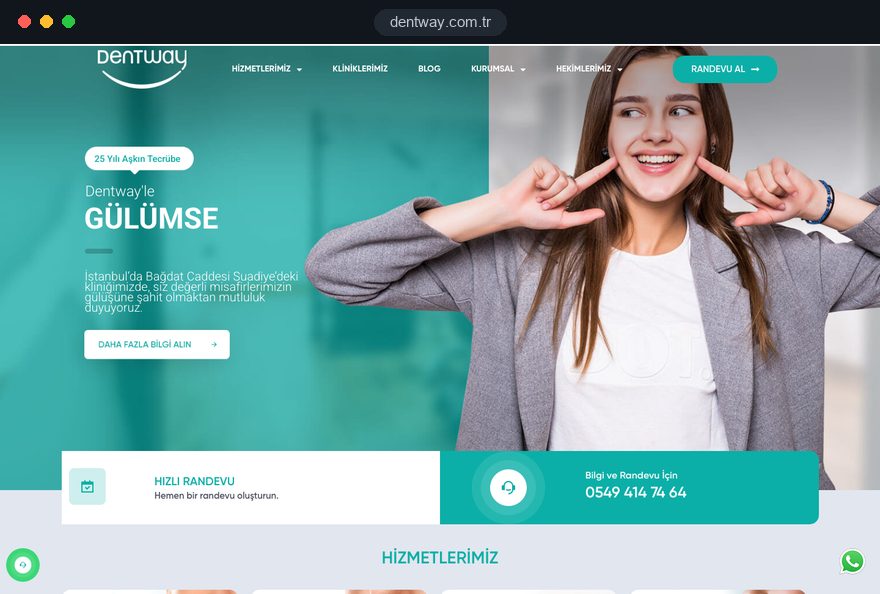
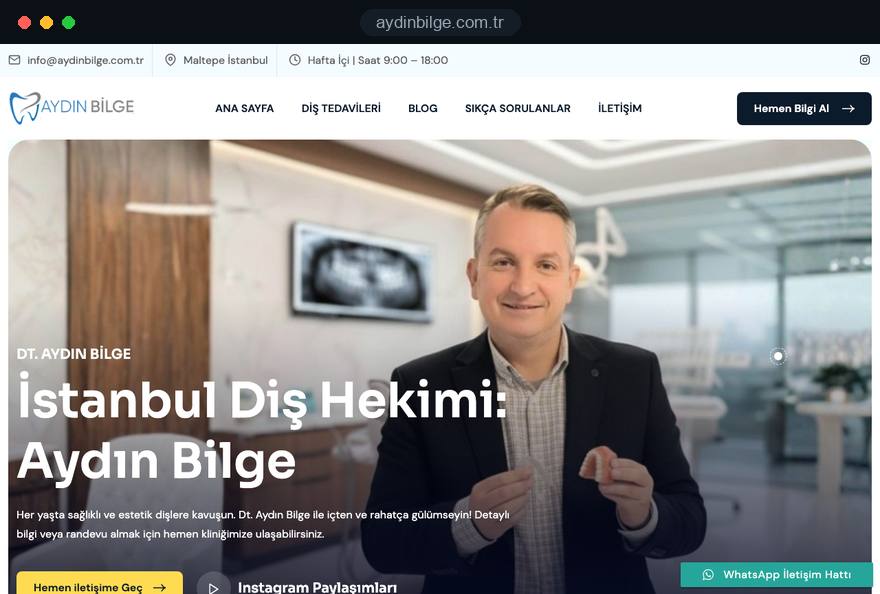
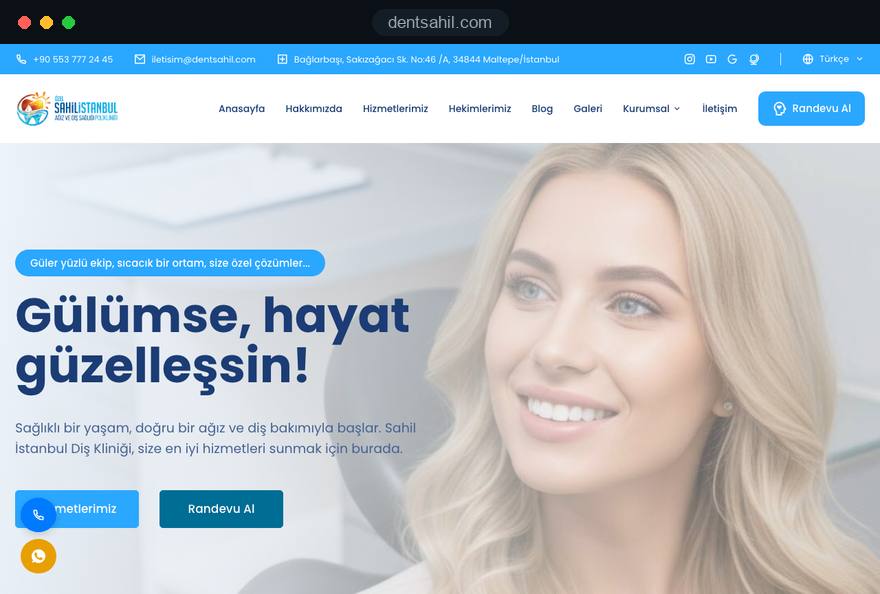
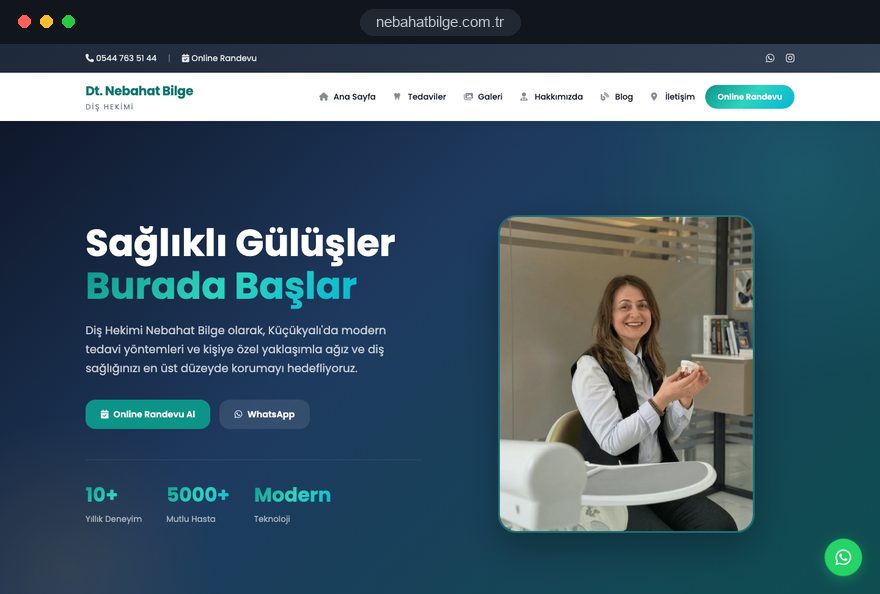
A dental clinic website is judged long before the first phone call. Patients read about the treatment they are considering, check who would carry it out and decide whether to get in touch; the site has to keep that path short while staying within the advertising rules where you practice.
This guide covers clinics with several dentists and single dentist practices, noting where they need different decisions. For advertising rules we use the UK guidance of the General Dental Council (GDC) as the worked example; if you practice elsewhere, check your own country's rules. It reflects how we, Talha Aslan and team, plan dental projects within our web design service.
01What a dental clinic website must do
A dental clinic website has to answer the questions patients ask before booking, in the order they ask them, and then make booking feel like a small step. Two kinds of visitors arrive: one has a toothache this morning and needs a phone number, today's availability and directions, while the other is weighing implants over several weeks and wants depth, names and a clear picture of the process.
Keep the urgent path in the header of every page and let the considered path run through treatment pages and profiles. When a decision has no clear home, patients ask by phone or leave to compare another practice, so give each one a place before design starts:
- Suitability: the treatment page, including who it does not suit and which alternatives exist.
- The dentist: a profile linked from that treatment, with qualifications and a recent photo.
- The place: real photos, hygiene information and reviews on the Google Business Profile.
- The first visit: what the initial consultation includes and how long it takes.
- The next step: one booking prompt that works the same way on every page.
02Single dentist practice or group clinic
The building blocks stay the same, but the center of the brand moves. Patients choose a single dentist practice for a person, and a group clinic for a team, a location and a way of working.
Patients referred to a single dentist often search by name, so put that name in the home page title and opening lines. State who covers emergencies while the dentist is on leave, and pick a practice name that would still work if an associate joined later.
A group clinic needs structure a small site can skip: profiles built from the same fields, a page per location with its own hours and team, and a booking form that asks for a location and offers "first available dentist" next to named choices. When a dentist leaves, retire the profile and redirect its address to the team page, so links from reviews still land somewhere useful.
Count pages before design starts: the treatments you provide, one page per dentist and per location, plus home, contact, privacy and cookie pages. Our references page shows both setups.
03Treatment pages modeled on an implant page
Give every treatment you want more patients for its own page, written as a full answer to one search, because search engines rank individual pages and patients compare practices one treatment at a time. On the treatments overview, group pages by problem, such as missing, crooked or stained teeth, since people search for the problem before they know the clinical term.
An implant page shows the pattern clearly. This is the running order we start from:
- First screen: what an implant is in two plain sentences, who it is for, and the booking prompt.
- Suitability: who is not a candidate yet, for example when bone must be rebuilt or gum disease treated first.
- Process: each stage from consultation and scan to placement, healing and crown, with the waiting times your dentists plan.
- Alternatives: bridges and dentures described fairly, each linked to its own page.
- Aftercare and questions: cleaning, review visits, how fees are explained and the questions patients really ask.
An aligner page keeps the skeleton but stresses daily wearing time, retainers and the cases that need fixed braces instead. Link where the next question leads, such as from implants to dentures, and preview each title and description with our search result preview tool: name the treatment and the town, and promise information, not outcomes.
04Dentist profiles that patients can check
A dentist profile builds trust through details a patient could verify, not through adjectives such as caring or highly experienced. Start with the full name and title as registered, each qualification with the place it was obtained, and the registration number wherever your regulator expects one.
Then describe the work as facts: "places and restores implants" or "treats children and nervous adults" tells a patient more than a list of interests. A short paragraph in the dentist's own words about how they explain treatment does the rest. Add the languages each dentist speaks and, in a clinic with several sites, the days and locations where they work.
Portraits should be recent, real and shot by one photographer against one background, so the team reads as one practice and patients recognize the dentist they meet. Include hygienists, therapists, nurses and treatment coordinators, since they are often the first people a patient meets.
Two habits prevent trouble later. Keep a copy of the certificate behind every qualification you publish, and ask each person to approve their own profile in writing before it goes live.
05Advertising rules for dental websites: the UK example
Health advertising is regulated in many countries, so get the current guidance from your regulator or professional body before any copy is written. The UK shows how specific it can be; under the GDC guidance on advertising, a dental clinic website should show:
- The dental professional's name and the geographic address of the practice.
- Contact details, such as a phone number and an email address.
- The GDC's address, or a link to the GDC website.
- For each dental professional named, their qualifications, the country where each was obtained and their GDC number.
- The word specialist only for dentists on one of the GDC's specialist lists.
Dentists not on a specialist list can still describe the treatments they provide in factual terms, provided nothing implies a specialist title. Other countries draw different lines: Turkey's 2025 regulation bans open or covert advertising of health services and allows before and after images only with patient consent, matching conditions, dates and a set warning, while Germany's professional rules for dentists allow factual information but prohibit advertising contrary to the profession.
Whatever the framework, describe rather than promise: say what a treatment aims to achieve instead of offering a perfect smile, and explain anesthesia options instead of claiming treatment is painless. We write within these limits and flag doubtful lines; the final legal call stays with the practice and its advisers.
06Real photos, video and a virtual tour
Patients use your images to judge what they cannot check online: how clean the practice is, what equipment it uses and who they will meet. Plan one professional shoot before launch, on a day without patients, with a written shot list:
- Arrival: the street frontage, the door and any wheelchair access, so patients know where to go.
- Waiting area: in daylight and tidy, with no patient names visible on screens, desks or printed lists.
- Treatment rooms: the chair, scanner and imaging equipment you actually use.
- Sterilization: the room where instruments are cleaned and sterilized, which answers a common worry directly.
- Team at work: a few candid shots at the front desk and chairside, taken with each person's written consent.
Short videos help when they explain rather than sell, such as a dentist describing a first consultation in about a minute, with captions for viewing without sound. Embed them so they load only when someone presses play, which keeps the page light and avoids a video platform's cookies before consent.
A virtual tour reassures nervous patients and those traveling from abroad, but it is heavy, so offer it as an optional view. For what a camera cannot show, such as an implant in the jaw, a clear diagram explains more than a smiling stock model.
07Booking flow: forms, calls, WhatsApp and consent
A booking request should take less than a minute and end on a confirmation page that says when the practice will call. Treat phone, form and WhatsApp as one flow, and keep the form to what the front desk needs:
- Name and phone number: email can stay optional if you confirm by phone.
- Treatment of interest: prefilled from the page the patient came from.
- New or existing patient: which changes who calls back and how long the first appointment needs.
- Preferred times: broad choices such as weekday mornings, not a calendar that suggests a confirmed slot.
Outside opening hours, replace the call button with a request button and a stated reply time, and point urgent cases to the cover that applies, such as your emergency line or NHS 111 in England. A WhatsApp link with a prefilled message naming the treatment saves a round of questions; our WhatsApp link generator builds one, and it should point to a practice phone, not a dentist's personal number.
Under the form, one plain sentence should say what the data is used for and where the privacy notice is; marketing consent needs its own unchecked box. Health details count as sensitive data under data protection law in the UK and the EU, so ask patients not to include medical information and collect it at the appointment.
08Local search: Business Profile, reviews and neighborhoods
Searches such as "dentist near me" show a map of nearby practices, so your Google Business Profile and website must tell the same story in the same words. Check the profile against these points:
- Name: exactly as on your sign and letterhead; the guidelines do not allow added keywords such as a town or a treatment.
- Categories: a primary category such as Dentist and secondary ones only for services you provide; in the UK, avoid any category implying a specialist title nobody at the practice holds.
- Address, phone and hours: identical on the profile, the website and directory listings, with holiday closures updated everywhere on the same day.
Ask every patient for a review the same way, for example with a card at the front desk; never offer anything in return or ask only the patients you expect to be happy. Reply without confirming that the writer is a patient or mentioning any treatment, because confidentiality applies online too.
Mention the neighborhoods, stations and landmarks patients search for on your contact and location pages, but avoid doorway pages, thin pages made only to rank for towns where you have no premises. We handle this within our SEO service, and nobody can honestly promise a map position.
09Speed, Core Web Vitals and structured data
The technical target is a page that shows its main content quickly on a phone, reacts at once to a tap and does not jump around. Google measures this with three Core Web Vitals at the 75th percentile of real visits, meaning at least three in four visits should meet each threshold:
- LCP, largest contentful paint: the time until the largest image or text block is visible; good is 2.5 seconds or less.
- INP, interaction to next paint: how quickly the page responds to a tap, such as opening the menu; good is 200 milliseconds or less.
- CLS, cumulative layout shift: how much the layout moves while loading, for example when a late image pushes the booking button down; good is 0.1 or less.
On a dental clinic website, the weight usually comes from oversized photos, web fonts and external scripts for chat, booking and tracking. Serve images in modern formats such as WebP or AVIF at the size they are displayed, and ask of every script what it adds for patients.
Structured data is code that describes the practice to search engines. Use the Dentist or MedicalClinic type with only facts visible on the page, such as name, address, phone and opening hours; our schema markup generator writes the code, and any rating the page does not show stays out.
10Pages for international patients in their language
If you treat patients from other countries, give each language its own pages written for that audience, not a widget that swaps text on one address. Hreflang annotations tell Google which pages are language versions of each other; every version must list all the others and itself, or the annotations can be ignored.
Treat translation as clinical work: a translator who knows dental terms writes it, and a dentist fluent in the language reviews it, because errors show where patients read most closely, in risks and aftercare. Each version should answer:
- How many visits each treatment needs and how many days the patient should plan to stay.
- Which records to send before the first consultation, such as recent radiographs, and how to send them securely.
- How transfers and accommodation work, if the clinic arranges them.
- What aftercare looks like at home, and whom to contact if a crown or aligner needs attention later.
Put a contact channel answered in that language on every page and state reply hours in the clinic's time zone. Label the language switcher with names such as Deutsch or Français, not flags, and let visitors choose rather than redirecting them by location. Campaigns aimed at another country also need checking against that market's rules.
11Measuring which treatment pages bring bookings
Measure requests, not visits: every call tap, form request and WhatsApp click should be recorded as a conversion, the action you count as a result, together with the treatment page it came from. We set this up in five steps:
- Define the conversions: call taps, completed booking forms, WhatsApp clicks and finished online bookings.
- Store the source page and campaign with each request, for example the aligner page and a paid search ad.
- Respect consent: in the EU, non essential tags wait for the visitor's choice, and Google requires consent mode for measurement and personalized ads in the European Economic Area; UK practices follow the current UK cookie rules.
- Log every request in a CRM, a system that follows each request to its outcome, with a status: contacted, booked, attended, treatment accepted.
- Review the figures monthly by treatment page, alongside what the front desk hears when it asks new patients how they found you.
A tap on the call button shows intent, not a completed call; call tracking can record answered calls if phone bookings matter most. If you advertise, the same conversions should feed your campaigns through our Google Ads management. Quality Score, Google's diagnostic rating that includes landing page experience, then shows when a treatment page does not match its ad.
12A content plan for the year after launch
After launch, the useful content work is answering the questions patients actually ask; publishing to fill a calendar adds little. Ask the front desk to note every question raised by phone or in the waiting area for one month, and turn the recurring ones into answers on the relevant treatment page.
Larger questions become articles, such as whether smokers can have implants or what to do if a crown comes off while traveling. A dentist should review each piece before it goes live, and the page can show who reviewed it and when. Seasonal topics give the year a rhythm:
- School breaks: children's checkups and what to expect at a first visit.
- Before wedding season: how long whitening or aligners take, so patients start in time.
- Sports season: custom mouthguards for contact sports.
- End of the plan year: for US practices, using annual insurance benefits before they reset.
Review every treatment page once a year with the clinical lead, and update fees and equipment details whenever they change. For a seasonal campaign, a separate campaign landing page keeps the message apart from the permanent treatment page and can be switched off when the season ends.
13Common mistakes and what to do instead
The problems we are asked to fix on existing dental practice websites often trace back to a few avoidable decisions. Each comes with the alternative we use instead:
- Rebuilding without redirects: when a dental clinic website is rebuilt, old treatment addresses vanish with their search visibility; instead, map each old address to its new page with permanent 301 redirects and check Search Console, Google's free reporting tool for site owners, after launch.
- A rotating home page slider: messages nobody waits to read that slow the first screen; instead, one clear statement of what the practice offers and where, with a booking prompt below it.
- Copy borrowed from brochures: manufacturer text or paragraphs from another clinic sound generic and duplicate pages found elsewhere; instead, write with your own dentists about how your practice provides the treatment.
- Notifications to one personal inbox: requests sit unread while that person is away; instead, a shared practice inbox, a second recipient and a test request every month.
- Overlays on the phone screen: a chat bubble, a promotion and a cookie banner stacked over the call button; instead, one compact consent banner with a real choice and call buttons that stay visible.
14Choosing a partner and preparing the first call
When you compare offers for dentist website design, judge each partner on how they will handle your rules, content and ownership, and get the answers in writing. These questions show whether a team has thought about dental work:
- Which of your dental or healthcare sites are live today, and what changed after launch?
- Who writes the treatment pages, and how does clinical approval work?
- How will the copy handle the advertising rules of our country, including titles and images?
- Will the domain, hosting account, code and every admin login be registered to the practice?
- What is included after launch: software updates, backups, security monitoring and regular form tests?
Before the first call, gather your treatment list, the treatments you want to grow, each dentist's qualifications and registration details, and who holds the domain and hosting logins today. With that, a team can propose a written scope listing pages, languages, who writes the copy, integrations and exclusions.
A single dentist practice with a settled treatment list may fit one of the fixed packages in the pricing section of our web design page. For a dental clinic website with several dentists, locations or languages, send your treatment list through our contact form; we reply with a proposed structure and a written quote, and work with practices abroad online, in English.