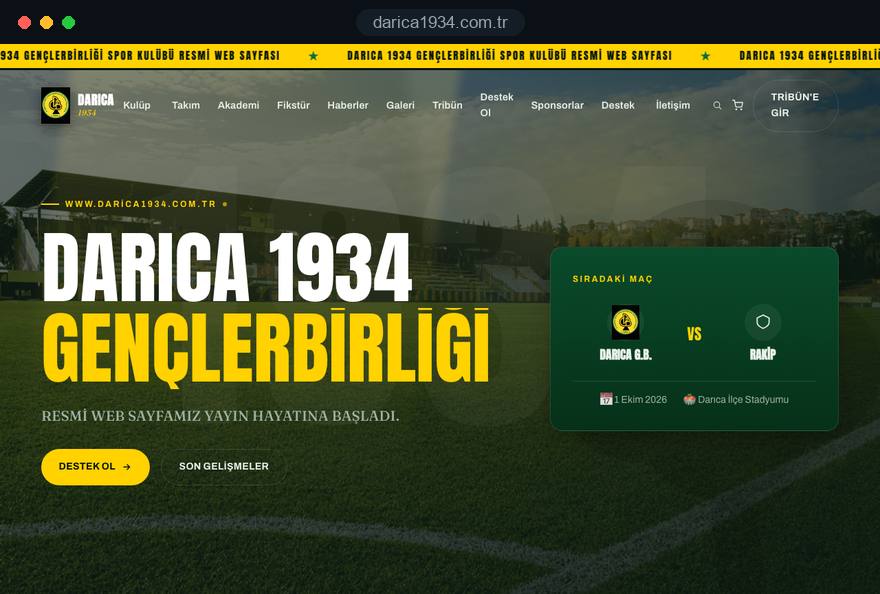
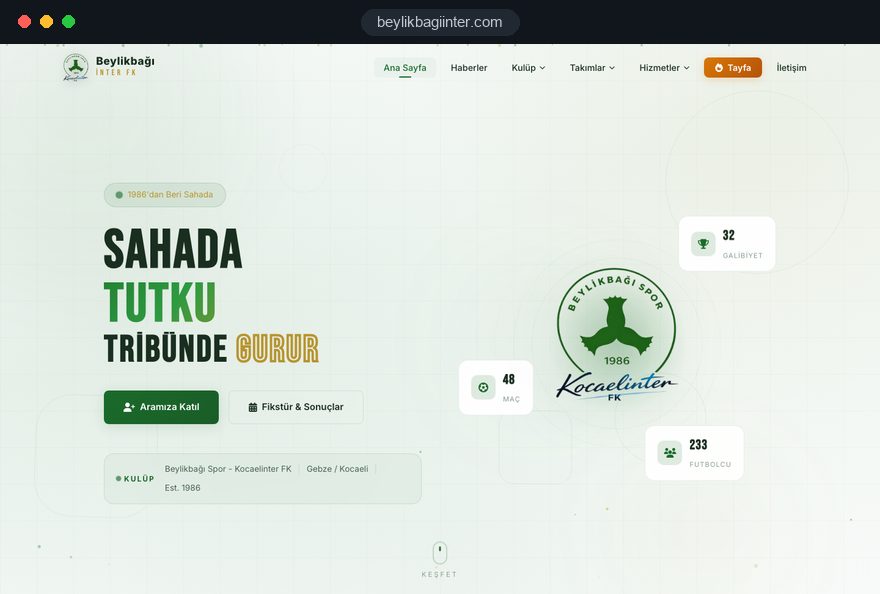
A sports club website is judged less by its design than by how current it looks on Monday morning. Supporters want the weekend score, sponsors want to see where their logo sits, new members want a way to join and parents want their child's kick off time, all at the same address. That only happens when the club decides in advance which record passes through whose hands, and in what order.
This guide follows the decisions a club committee makes in sequence: how match data is structured, who does what on match day, how sponsors get visibility they can see, the rules behind a club shop, membership and season tickets, search visibility and measurement. Every section ends in something you can apply to your own club: a checklist, a question or a step.
01Deciding who the site serves, and in what order
The first decision is which audience the site serves first; a home page that gives every group equal weight serves none of them well. In a single week a sports club talks to supporters, players, parents, sponsors, members and the local press. Each group looks for something different, and what they look for changes with the day of the week.
Before any design work, ask the committee to answer these questions in writing:
- Match day visitor: What should someone opening the site at noon on Saturday see first: the next fixture, the last result or ticket information.
- Midweek visitor: On a Tuesday, should the lead item be news, youth trials or the new shirt in the shop.
- Income mix: In what order do sponsorship, membership fees and merchandise contribute to the budget; the site should reflect that order.
- Sports and sections: Is this a single sport club, or do netball, cricket or basketball sections have their own fixtures.
- Named owners: Who writes news, who enters scores, who swaps sponsor logos; every task needs a name.
These answers decide the order of home page sections, the depth of the menu and the permissions in the panel. Any question left vague comes back as a vague area on the site.
02Building the match center from linked records
A match center is not a page but a set of linked records, and the rest of the site draws from it. If the fixture list is a table someone edits by hand, every score has to be corrected in three places and one of them will always be missed.
A solid match record holds the team and age group, the opponent, home or away, date and kick off time, the ground with a map link, the competition and round, the score, scorers, cards, a link to the match report and a link to the gallery. The league table is either calculated from these records or taken from the official league source; mixing the two produces contradictions.
In practice this means one score entered after the final whistle updates the latest result on the home page, the season list on the team page, the match page and the table at once. Postponed matches need their own status field, otherwise a postponed game lingers as an unplayed row with a past date and confuses supporters.
When a season ends, old matches are not deleted; they move into an archive filtered by season.
03Match day workflow: who enters what, and when
A match center stays current only when the match day roles are clear; however good the technology, if nobody owns the score it stays on social media. For clubs run by volunteers, the workflow should be short and written down.
A match week routine that many clubs can adopt looks like this:
- Two days before: The press officer checks the match record, confirms time and ground and drafts the preview as an unpublished post.
- Match morning: The coaching staff confirm the squad, the preview goes live and the social media post links to the match page on the site.
- After the final whistle: The person at the ground enters the score and scorers from a phone; this should take a few minutes.
- Match evening: The report and a selection of photos are added and the gallery is attached to the match record.
- Next day: The table is checked against the league's official results and the next fixture moves to the home page.
Each step should map to a role in the panel. There is no reason for the person entering scores to be able to change the sponsor area or shop prices. Updating the role list at the start of each season, and removing a departing volunteer's access on the day they leave, belongs to the same routine.
04How to show league data on your site
For the league table and official results there are two routes: the club enters the data itself, or it is taken from the source the league publishes; the right choice depends on the level of competition and where the data lives. Both routes have a benefit and a cost.
- Club entry: Full control and a consistent look, but you also have to enter other clubs' results. In grassroots leagues that can take more than a few minutes a week.
- Official source: If the league or governing body publishes results in a stable, readable form, the table can come from there. When that source changes format the feed can break, so it needs a maintenance plan.
- Mixed model: The club's own matches are entered in the panel and the full table links clearly to the official league page.
- Source note: Whichever route you pick, show the data source and the time of the last update under the table.
When deciding, ask one question: when the table looks wrong, who will notice, and how many hours will it take to fix. If nobody has an answer, the mixed model is usually the safer start. Switching to a feed later in the season is possible, and it is straightforward when the match records were structured properly from day one.
05What team, squad and player pages should hold
Every team needs its own page and every player a profile, and both should be stored by season. A squad page is more than a grid of photos; journalists, opposing clubs, scouts and families all use it for information.
A player profile usually needs no more than shirt number, position, the season they joined, appearances and goals. Because match records are linked, those statistics can build themselves from the matches you enter instead of being typed by hand. Coaching staff pages show the role, any coaching qualifications the club chooses to publish and a short biography.
The season archive is the part most often forgotten. If a player's profile is deleted when they leave, links in older news stories break. Instead the profile switches to former player status and their seasons stay visible. A new signing gets one record, and the signing announcement, the squad page and the home page all link to it.
The same structure repeats for women's, veterans' or other sections, each with its own season list and menu position, so parents, players and press are not lost in one long list.
06Youth players: images and personal data
Keeping youth player profiles deliberately minimal protects both the families and the club. A child's photo and name are personal data, so the club should publish a privacy notice, manage images according to parental consent and follow the safeguarding guidance of its governing body on photography.
In practice we recommend these criteria:
- Minimal profile: For a youth player, first name and team are enough; date of birth, school and contact details are never published.
- Consent based visibility: Each player record has a field that controls whether a photo appears; when consent is withdrawn, the image is hidden in one click.
- Group photos: Gallery shots that include a child without consent are simply not selected.
- Location details: Training times and grounds can be public, but individual children's schedules are not.
The wording of the consent form is a decision for the club and its adviser; our part is making that decision workable in the panel. If the youth section runs as a separate academy that takes registrations and offers trial sessions to parents, its needs are different, and a football academy website structure handled as its own section is the better fit. The club site reports on competition, the academy side collects registrations; merging both into one form tires both audiences.
07Turning sponsor space into a concrete package
A sponsorship page should work as a showcase of what the club can offer; a thank you page full of logos does not bring in new sponsors. A local business deciding whether to back the club wants to know where its name will appear, for how long and in front of whom.
Defining the available placements in advance makes that conversation much easier:
- Header strip: A fixed area for main partners at the top of every page or beside the match center.
- Match partner: Name and logo as the sponsor presenting a specific fixture or the season's match reports.
- Team sponsor: A business that backs only the women's team or one youth age group, shown on that team's page.
- Gallery partner: One supporter visible on gallery pages throughout the season.
- Sponsor profile page: A short introduction to the business, a link to its site and news of joint activities with the club.
Describing packages without prices keeps room for each sponsor conversation and avoids publishing figures that will be out of date next season.
08The visibility report sponsors receive at season end
What makes renewal easier is a concrete report on the table at the end of the season, and that report only exists if measurement is set up on day one. You cannot collect last season's data in the final week.
The report can include page views of pages carrying the sponsor's logo, clicks on the sponsor link, reads of news stories mentioning the sponsor and visits arriving through the sponsor's own campaign link. Where consent rules apply, such as in the UK and EU, measurement covers visitors who accepted analytics cookies, and the report should say so clearly.
A short setup checklist:
- Tagged links: Each sponsor link carries a source parameter; our UTM builder prepares these in a few minutes.
- Click event: A click on a sponsor logo is recorded as its own event in your analytics tool.
- Matching period: Report dates match the contract period.
- Context: Next to the numbers, state where the sponsor appeared and for how long.
The report is measured data, not a claim by the club, so the renewal conversation is based on records rather than estimates. If the numbers are modest, the honest response is to move the sponsor's placement to busier pages, not to inflate figures.
09Club shop rules: products, sizes and orders
The shop is the part of a club website that creates the most work, so before choosing products decide who handles orders, returns and stock. Who packs the shirt, who tracks delivery, where a returned scarf goes: these questions matter as much as the design.
Under the UK Consumer Contracts Regulations, buyers at a distance can normally cancel within 14 days of receiving goods and must be told about that right before ordering. Goods made to the consumer's specifications or clearly personalized, such as a shirt printed with a name and number, fall under an exception, so say on the product page which items are personalized and agree the wording with your adviser.
A few decisions specific to club shops:
- Preorders: If next season's kit goes on sale before production, the product page states the expected delivery window.
- Size charts: Junior and adult fits in separate charts, with instructions on how to measure.
- Live stock: Sold out sizes cannot be selected, so nobody has to confirm by phone.
- Collection at the ground: Instead of delivery, buyers can collect from the club stand on match day.
When the range and order volume grow, it may make sense to move the shop out of the club site into a dedicated e-commerce platform. Starting with a small range and deciding after the first season's order data reduces the risk.
10Membership, subscriptions and season tickets
The members and season ticket side of a sports club should run as a separate flow from the match center, because the goal here is not information but applications and payments. For many clubs, member numbers mean both income and a voice at the annual general meeting.
The membership section should explain who can join, what members receive and how applications are decided. The application form asks only for what is needed, sits next to the privacy notice and states that the committee approves new members. If subscriptions are collected online, agree the payment periods and reminder method before launch.
Season ticket sales are a campaign that peaks once or twice a year. Rather than reshaping the main site, a single goal landing page is the cleaner option: it covers ticket types, seating or standing areas and the application step, then closes when the campaign ends.
Members only content, such as AGM notices or committee minutes, usually needs no more than a simple login protected area. Before commissioning a separate app, be clear about who will keep that content up to date.
11Making the official site win club name searches
For a sports club, the most valuable search is its own name; if the official site is not near the top, supporters take their information from old news stories or fan pages. Nobody can promise that position, but the right signals strengthen it.
- Name variants: The full name, short name, the name with founding year and the nickname appear naturally on the home page and the club page.
- Structured data: Club, team and match details are marked up so search engines can read them; nothing is marked up that is not visible on the page.
- Google Business Profile: The profile for the ground or clubhouse uses the club's real name; adding keywords to the name breaks Google's guidelines.
- Consistent links: Social accounts, the league's club directory and local news profiles all point to the same official address.
- Match page titles: A pattern like "Club name vs opponent, round number" also makes the page visible to the opposing side's supporters.
Once this foundation is in place, regular news keeps the site relevant in search. If you need deeper content and technical work, our search engine optimization service builds on this structure; the foundation itself belongs in the first version of the site.
12Match day speed and pages ready to share
A club site is opened most often in the stands or on the way to the ground, on a weak mobile connection, so speed is not a design preference but a condition for match day use. Google's Core Web Vitals give concrete thresholds.
LCP, the time until the main content has loaded, should be 2.5 seconds or less; INP, how fast the page responds to a tap, 200 milliseconds or less; CLS, how much the layout shifts while loading, 0.1 or less. On club sites the usual culprits are uncompressed gallery photos, heavy video embedded on the home page and sponsor logos that load late and push content down.
Sharing matters just as much. When a supporter posts the match report in a WhatsApp group, a preview showing the score and the right photo makes it far more likely to be opened. Every news and match page needs its own preview title and image; you can check a few pages with our link preview checker.
To see how your current site behaves on a phone, the mobile friendly test is a good start. Run it separately on a match page, the gallery and a shop product page; a fast home page does not mean the rest of the site is fast.
13Common mistakes on sports club websites
Most mistakes on club websites are about ownership and process rather than technology, so fixing them is usually a matter of decision. These are the ones we see most often, with the better alternative:
- Tying the site to one volunteer: Domain, hosting and panel logins sit with one person. Instead, hold every login in the club's name with a club e-mail address and hand it over when the committee changes.
- Publishing fixtures as an image: The season's fixtures go up as a single graphic that search engines cannot read and that has to be redesigned at every change. Instead, enter each match as its own record.
- Squeezing sponsors into the footer: Logos are visible but say nothing. Instead, use defined sponsor placements and sponsor profile pages.
- Running the shop through direct messages: Orders scatter and buyers are never given the required information. Instead, set up a checkout with sizes, a basket and cancellation details.
- Deleting the old season: The archive is wiped each summer and links in older stories break. Instead, keep seasons in an archive with a filter.
- Posting youth photos without consent: Whole galleries are uploaded unchecked. Instead, give every player record a consent field and select gallery photos accordingly.
Checking your current site against this list also sharpens the brief you send to any agency quoting for a new one.
14Choosing a partner and planning the next step
When choosing who builds your sports club website, check first whether they understand the rhythm of match week; the visual portfolio comes second. In the first meeting, ask these questions:
- Match records: Which pages update when a score is entered, and can you show it in a live panel.
- Roles: Can separate permissions be set for whoever enters scores, writes news and manages sponsors.
- Handover: Are domain, hosting and panel logins handed over in the club's name.
- Shop and legal text: Which information appears during checkout, and who does the final check.
- Measurement: Is the data needed for sponsor reports collected from day one.
How a team answers tells you as much as the answers themselves. If they simply say "everything is done in the panel", ask to see the screen a volunteer will use on a phone on match night. Ask too what happens when a new team or section is added mid season, and whether that needs extra development. A sports club website changes a little every season; being able to make that change yourselves is what saves the most time over the years.
You can see club sites our team has built on our references page and fixed scope packages in the pricing section of our web design page. Share the number of teams and sections, your sponsor setup and your shop plans, and we will prepare a suitable sitemap and a written quote; to start, simply get in touch with us.