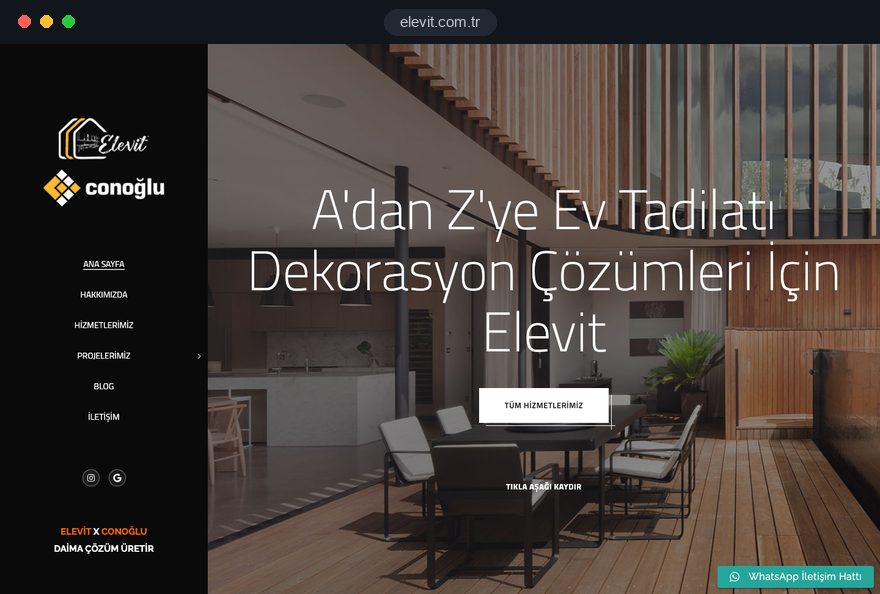
A homeowner arrives at a renovation website with a problem already in mind: a leaking shower, a tired kitchen, a flat that needs repainting before the tenants move in. Before calling, they want to know who will work in their home, how long it will take and how the room will look afterward. The site's job is to answer those three questions without leaving them for the phone.
In this guide, Talha Aslan and team walk through the decisions we make when planning sites for renovation, refurbishment and decorating firms, in the order a customer makes theirs. Each section gives you something to check on your current site today, a step to agree with your crew on site, or a question to put to any agency you speak with.
01Split your services the way customers search
Organize your service pages around the jobs customers search for, not around how your firm divides the work internally. Your crew may talk about "wet rooms" and "second fix"; the homeowner types "bathroom remodel" or "kitchen renovation," and your menu and page names should use their words.
To decide which jobs deserve their own page, count the enquiries you received over the last twelve months by type of work. We then check each job against four criteria:
- Demand: Do calls, messages and survey requests for this job arrive regularly.
- Content: Is the scope, material choice and process different enough to fill several paragraphs.
- Your own proof: Do you have at least two finished projects of this kind you can publish.
- Capacity and goals: Do you want more of this work, and can your crew take it on.
Jobs that fail the test stay as a subheading on a related page. Regrouting, for example, is explained on the bathroom page instead of getting a thin page of its own. A full home renovation page sits above the individual trades: it explains the whole process and links to each trade page.
02What a strong trade page contains, in order
A trade page should answer the questions you hear during the survey before the survey happens. Someone reading your bathroom page should find what gets stripped out, which materials you work with, how many days they will be without a bathroom and how to request a visit, all on one page.
This is the reading order we use for trade pages:
- Scope: What the job includes and what is handled separately, for example whether new pipework is part of it.
- Stages: Strip out, first fix, waterproofing, tiling and fitting, with a note on what happens in the home at each stage.
- What sets the timeline: The factors that lengthen or shorten the job, such as whether chosen materials are in stock, instead of a fixed number of days.
- Material options: The product ranges you work with and what the customer should weigh when choosing.
- Example projects: Two or three project entries for this trade.
- Questions and request: The four or five questions you hear most on the phone, then the survey request form.
Write the page with your lead tradesperson. A detail like "after stripping out we check the floor fall, because water has to run to the drain" will never appear in template copy, and it is exactly what persuades a reader.
03Handling the price question on the site
Publishing prices is a choice; saying nothing about what drives the price is a gap. Cost is usually the first thing a renovation customer wants to understand, and a page that ignores it sends them to a competitor that at least explains it.
A single rate per square foot or square meter looks tempting, but in renovation the same floor area can mean very different jobs. A bathroom that needs all new plumbing and one that only needs new tiles will not fit the same figure. Instead of a number, list what moves the price:
- Existing services: Whether plumbing and wiring need to be replaced or can stay.
- Material tier: How the choice of tiles, fixtures and cabinets changes the total.
- Strip out and waste: Removing old finishes and getting debris out of the building.
- Building conditions: Access, parking, permitted working hours and ceiling height.
- Living in: The extra protection and cleaning needed when the family stays home during the work.
Below the list, explain how your quote is prepared: how many days after the survey it arrives and which line items it contains. The customer sees a method instead of a number, and can compare you fairly.
If you do publish prices, state the scope each figure covers and what changes it; a number that shifts completely at the survey costs more trust than no number.
04The survey request form and the first few hours
The survey form exists so that the first phone call is not spent collecting basics, which means it should be short but ask the right things. In our projects, splitting the form into steps works well: the job and location first, then details about the home, then contact details.
- Step one: The work required as multiple choice, approximate floor area, number of rooms and location.
- Step two: Whether the home will be occupied, the preferred start date and an optional photo upload.
- Step three: Name, phone number, preferred way to be contacted and a link to your privacy notice.
Keep the photo field optional, with a hint such as "one photo of the bathroom taken from the door is enough." Do not ask for anything you will not use.
What happens after the form is sent is part of the site too. The thank you page should say when you will call, the request should land in WhatsApp or your inbox together with the page it came from, and someone should already be responsible for it. Renovation customers usually ask several firms for quotes, so a same day call and a call three days later do not have the same chance of turning into a survey.
05A photo routine for before, during and after
The value of a project entry comes from consistency more than from photo quality. Two shots taken from the same corner, at the same height and in similar light persuade more than ten shots from random angles.
Turn this into a habit on site with a simple shooting brief for your crew:
- Day one: Before strip out, photograph each room from the doorway and from the opposite corner, and note the exact positions.
- After strip out: Photograph new pipework, waterproofing and anything else that will be hidden once the job is finished.
- Handover day: Shoot again from the same positions, with the lights on and before furniture moves back in.
- Privacy: Keep house numbers, family photos and any view that identifies the building out of frame.
Most firms skip "during" photos, yet the new pipe inside the wall shows quality more clearly than any finished shot. Add a short text to each project entry covering the starting problem, the work done, the duration and what the homeowner asked for.
Get written permission from the homeowner before publishing; asking at contract stage is much easier than asking after the job. State where the photos will appear, that the address will not, and that the homeowner can ask for removal at any time.
06Linking projects to trades and service areas
Project entries that sit in a standalone gallery get little attention; linked to trade and area pages, they start to support sales. Tagging each entry with at least one trade and one location lets the same photos work on several pages.
- Tags: Trade, town or neighborhood, residential or commercial, and size of job, such as single room or whole home.
- On trade pages: The two or three most recent projects for that trade.
- On area pages: Jobs finished in that area and a short note on the local housing stock.
- At the end of each project: Two similar projects and the same survey form.
Use a separate status tag for work in progress. An entry marked "in progress" shows the firm is active right now; when the job is done, the same entry is completed with after photos and keeps its address, so the links and search visibility it has gathered are not lost.
If what you really sell is design and a signature look, portfolio logic works differently, and our guide for interior designers may suit you better. For a renovation firm that does the hands on work, the archive is not an art gallery but well kept proof of work.
07Living at home during the work, and the neighbors
Staying at home during a renovation is what homeowners worry about most, and it deserves its own heading on the site. When dust, noise, water shutoffs and days without a bathroom are not explained, many customers simply postpone the job.
Write down only the measures you really take:
- Protection: How floors, doors and furniture are covered, and whether you use dust screens.
- Working hours: When noisy work happens and how you follow building or association rules.
- Shutoffs: Advance notice of when water and power will be off, and for how long.
- End of day: How the work area is cleared each evening and when debris leaves the building.
- Shared areas: How elevators and stairways are protected and how neighbors are told about the work.
A sample notice for the building manager or neighbors also helps, because the customer gets a ready text.
Never promise "no dust at all." The homeowner sees otherwise on day one and starts to doubt every line on your site; "here is how we keep dust in one room" is both honest and convincing.
08Explaining approvals and permits in plain language
Whether a job needs approval is the technical question homeowners ask most, and your site should answer it as information, not as legal advice. For firms working in England, GOV.UK lists jobs such as installing a bathroom with new plumbing, replacing a fuse box or replacing windows among the work to check for building regulations approval, and explains that customers do not need to apply themselves when the installer is registered with a competent person scheme.
We suggest placing this information in four spots:
- Trade pages: A short note on which of your jobs may involve approval and how you handle it.
- Scheme membership: The competent person schemes you really belong to, shown where they apply, never implied for trades you do not cover.
- Wall removal questions: A note that structural walls are assessed at the survey and any approval process is discussed separately.
- Quotes: Items that may need approval flagged as separate lines.
Avoid absolute statements. "None of our work ever needs approval" creates false expectations.
If you work outside England, write the same kind of plain explanation for your own jurisdiction; in the United States, for instance, permit rules are set locally, so name the city or county process you deal with and leave the final check for each job with your firm.
09Process, team and workmanship warranty
The process page answers "what happens once you start," and it influences the decision as much as the quote figure. Describe every step from survey to handover, what you need from the customer at each step and who is responsible.
- Choosing materials: Whether selection happens with samples or a showroom visit, and how late choices affect the schedule.
- Change requests: How extra work requested during the job is added in writing.
- Payment stages: Without amounts, how many stages there are and which step of the work each one is tied to.
- Handover: The final walk through together and how the snag list is closed.
- Workmanship warranty: Which work is covered, for how long and under what conditions.
Write down only commitments you actually make. A written warranty with clear limits builds more trust than an open promise of "quality workmanship."
Use the same page to show who will be in the customer's home. Names, roles and real site photos of the owner, site supervisor and regular tradespeople turn an abstract firm into people. If some work is done by trusted partners, say so: "a licensed electrical team we have worked with for years handles the wiring, and the site supervisor is ours" answers the question of who will actually do the job.
10Area pages and your Google Business Profile
Much renovation search carries local intent: someone typing "bathroom remodel" expects to see a firm working nearby. That visibility comes from trade pages, area pages with real content and your Google Business Profile working together.
Create an area page only where you have actually worked. It should include finished projects there, observations about the local housing stock and how you arrange surveys in that area. Copies where only the place name changes can be treated by search engines as low value content.
A checklist for your Google Business Profile:
- Name: Use your real world business name; Google's guidelines do not allow added keywords.
- Address: If customers do not visit you, register as a service area business and hide your address.
- Photos: Add project photos regularly and use the same jobs that appear in your project entries.
- Reviews: Make the review request a fixed step after handover, and reply to every review.
The technical setup, internal linking and structured data for trade and area pages can be handled as part of our SEO service. Keep your own check simple: the profile and the site should show the same name, phone number, service area and opening hours.
11Keeping a heavy project gallery fast on mobile
Homeowners often open your site on a phone, sometimes standing in the very room they want to change, and project photos are the heaviest part of every page. The gallery should grow without slowing the site down.
Google's Core Web Vitals give a useful frame. LCP, which measures how quickly the main content loads, is good at 2.5 seconds or less; INP, which measures how quickly the page reacts to a tap, at 200 milliseconds or less; CLS, which measures how much the layout jumps, at 0.1 or less. These are assessed at the 75th percentile of real visits.
- Format: Convert photos to WebP before uploading; our free image converter does it in seconds.
- Sizes: Load gallery thumbnails and enlarged views from separate files.
- Lazy loading: Images below the screen load only when the visitor scrolls to them.
- Reserved space: Every image has its dimensions declared so the page does not jump while loading.
On mobile, a fixed bottom bar with click to call and WhatsApp spares visitors from scrolling back to find the form at the end of a long project page. Check how your current site behaves with our mobile friendly test, and test a gallery page separately, because problems usually show up there rather than on the home page.
12Measuring which pages bring survey requests
The point of measurement is not counting visits but seeing which trade and area pages bring survey requests. Form submissions, phone taps and WhatsApp taps should be set up as separate conversions from day one.
Attach the source page to every request and keep a simple monthly table:
- Request: Which page, which channel and which job it came from.
- Survey: Whether it turned into a survey, and if not, why.
- Quote: Whether the survey led to a written quote and then to a job.
If the bathroom page brings many requests but few jobs, the problem is not traffic but the expectations the page sets, so reread how it describes scope and timing. Your form needs a link to a privacy notice, and under UK and EU rules non essential analytics and advertising cookies should only run after consent.
Renovation demand moves with the seasons, so paid campaigns can make sense around moving periods or before the holidays, when people want rooms repainted. Sending ads to a campaign landing page focused on one trade and one area makes results easier to measure without disturbing the main site; we cover budgets and campaign structure on our Google Ads management page. Before launching, send a test request to confirm tracking works.
13Common renovation website mistakes, and the fix
These are mistakes we see often on existing renovation and decorating websites, each with what to do instead.
- Showing work only on social media: Photos that live only on Instagram do not show up in search; publish each job as a project entry on your site and link to it from your posts.
- Promising exact completion dates: "Bathrooms done in 5 days" breaks trust at the first delay; describe what sets the timeline and give the firm schedule in the quote.
- Forgetting the site after launch: If the latest project is two years old, the firm looks closed; set a routine of adding at least one project entry a month.
- Putting the phone number inside an image: A number on a banner cannot be tapped on mobile; write it as text with a click to call link.
- Using different numbers everywhere: Separate numbers on the site, the profile and the van confuse customers; settle on one main number.
- Leaving the domain and admin panel in someone else's name: Access gets difficult if you part ways with an agency; register the domain, hosting and panel to your firm.
Checking your current site against these six points takes about half an hour and gives you an agenda for a first meeting.
14Questions to ask an agency, and your next step
Whether you need a new site or a fix to the current one depends on three things: how many trades you want to explain separately, how many project photos you have and how many areas you really work in. With few trades and a thin archive, building the photo routine first and improving the current site can make sense; if your services have outgrown a site that cannot carry them, a new structure is the sounder investment.
Ask any agency you talk to:
- Content: Who writes the trade pages, and will they speak with your lead tradesperson.
- Adding projects: Can you add a new project entry from your phone without relying on anyone.
- Request flow: Where will form requests go, and will you see the page each one came from.
- Ownership: In whose name will the domain, hosting and admin panel be registered.
- After launch: Who checks speed and tracking after the site goes live, and how often.
You can see work where we applied this structure in our references and the full scope of our web design service. Fixed price packages are listed in the pricing section; share your service list, areas and photos through our contact page, and we will prepare a written scope and quote for your renovation firm.