This guide is for owners and marketing leads who sell from San Jose: software vendors on North First Street, contract manufacturers and test labs near Edenvale, consultancies, clinics in Willow Glen, restaurants around San Pedro Square and founders with ties to Türkiye or the German speaking world.
A web design San Jose brief usually starts with a mood board, yet weak projects fail elsewhere: a reviewer could not find the security page, a buyer in Sunnyvale was unsure you served Sunnyvale, or nobody could log in to the domain.
Talha Aslan and team ordered the topics below the way web design San Jose decisions come up during a build. Each one ends in something concrete: a question for a studio, a test on your own phone, or a line for the written scope.
01What a Website Must Do in San Jose's Economy
In San Jose a website is often read twice: first by a person who decides whether to look closer, then by a specialist who checks whether the claims hold. The Census Bureau's Vintage 2024 estimate puts the city at 997,368 residents, larger than San Francisco and Oakland, and the employers around it set a high bar for evidence.
Adobe's headquarters stands downtown and Cisco's is listed on West Tasman Drive in North San Jose; San José State University reported nearly 40,000 students for fall 2025; and the airport handled close to 12 million passengers in 2024. Those facts produce four distinct readers:
- The technical evaluator: an engineer or IT lead who wants architecture notes, supported integrations and a named contact, and who forwards your page to a colleague.
- The procurement reviewer: someone working through a vendor checklist who needs certifications, insurance details and a security overview in one place.
- The student or new graduate: on a phone between classes, looking at a careers page or an offer close to campus.
- The visitor on a short trip: in town for a meeting or a convention, searching for a table, a ride or a hotel within walking distance.
Name the reader who brings you the most revenue and write down the single action you want from them. Menu order, homepage blocks and tracked conversions all follow from that sentence.
02Search Intent Across San Jose and the Valley
People in the valley search in two very different modes, and a site that serves only one of them leaves money on the table. Enterprise buyers type problems and product categories; residents and visitors type a service plus a place.
- Category searches: "SOC 2 audit readiness consultant", "PCB assembly prototype Bay Area" or "Kubernetes managed services". The city name rarely appears, so your solution pages carry the weight.
- Neighborhood searches: "pediatric dentist Almaden Valley", "pilates Willow Glen", "tax preparer Berryessa" or "brunch Japantown". Here map results and your Business Profile decide.
- Corridor searches: people near Santana Row or along Stevens Creek Boulevard often add West San Jose, Campbell or Santa Clara, because those borders blur in daily life.
- Event and travel searches: "catering near the convention center", "airport shuttle SJC early morning" or "hotel walking distance SAP Center" peak around conferences, games and concerts.
- Campus searches: "apartment near SJSU" or "internship San Jose software" follow the academic calendar, with peaks before fall and spring terms.
Spend twenty minutes with a private browser window. Type the ten searches that would bring your most valuable customers, note what ranks for each (a solution page, a map pack, Yelp, a comparison article) and mark every search where your site has no matching page. That list is the first draft of your sitemap.
03Hiring a Studio Ten Hours Ahead of the Valley
A studio abroad works for a valley company when every decision is written down and the overlap hours are used for decisions, not status updates. Our team works from Istanbul. Istanbul is 10 hours ahead of San Jose while California is on daylight time and 11 hours ahead in winter, so a call at 8 in the morning in San Jose lands in our early evening.
The time gap can work in your favor: feedback you send at the end of your day is usually handled before your next morning. It only holds up if the process is disciplined. Ask any studio you consider, local or remote, these questions and keep the answers:
- Who writes the meeting notes, and how soon after a call do they reach us?
- Does the scope list every template, form, language and integration, and what is explicitly excluded?
- Can our CTO open the staging site at midnight without asking anyone for access?
- How do you handle technical claims in our copy: who checks them against our engineering team?
- If we part ways, which files and logins do we receive, and how fast?
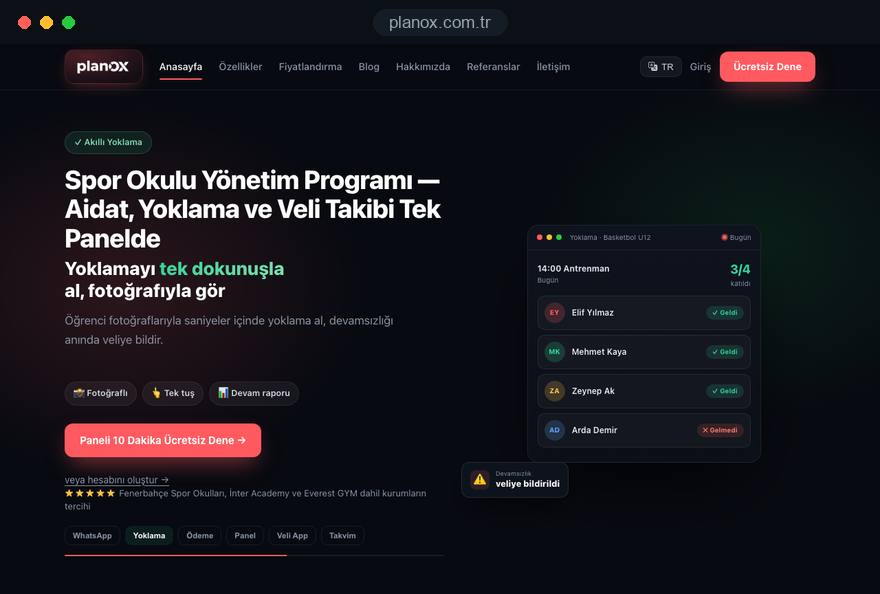
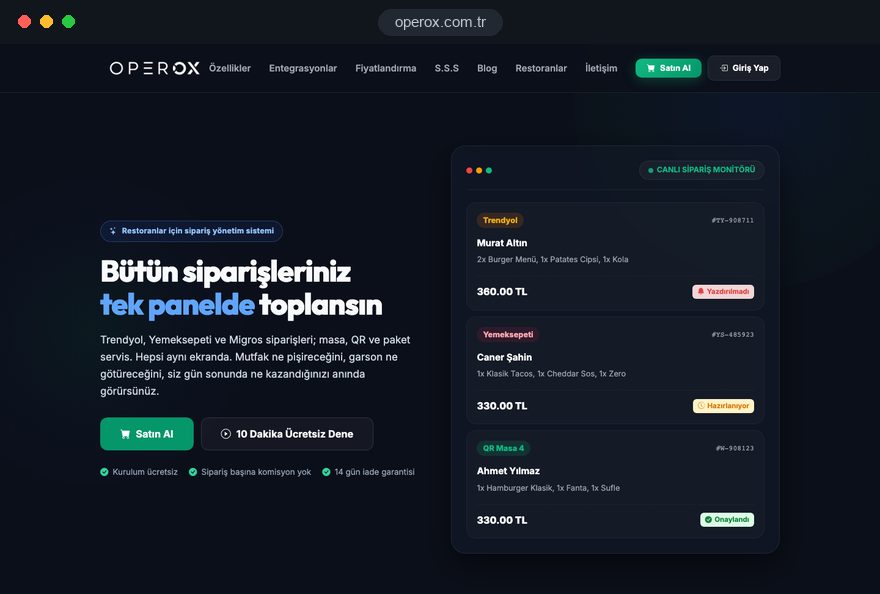
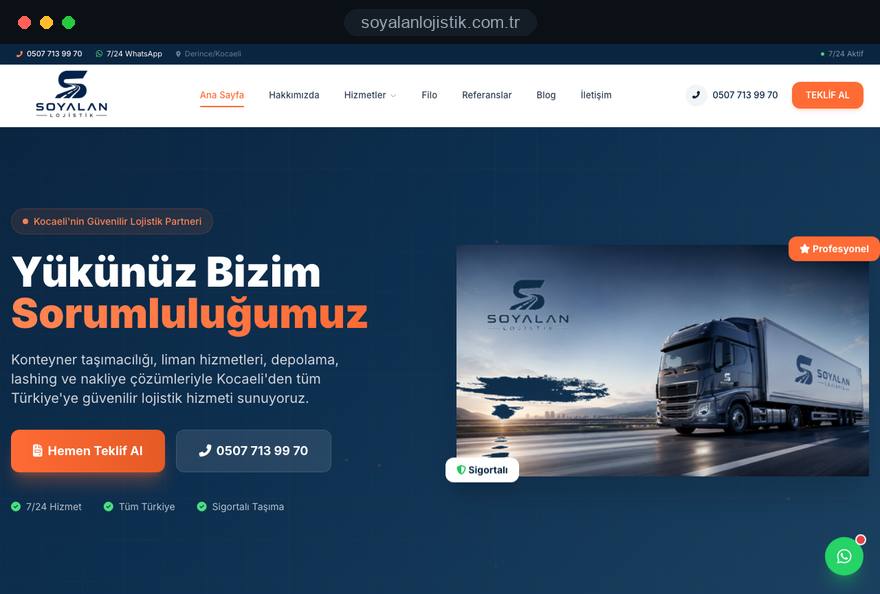
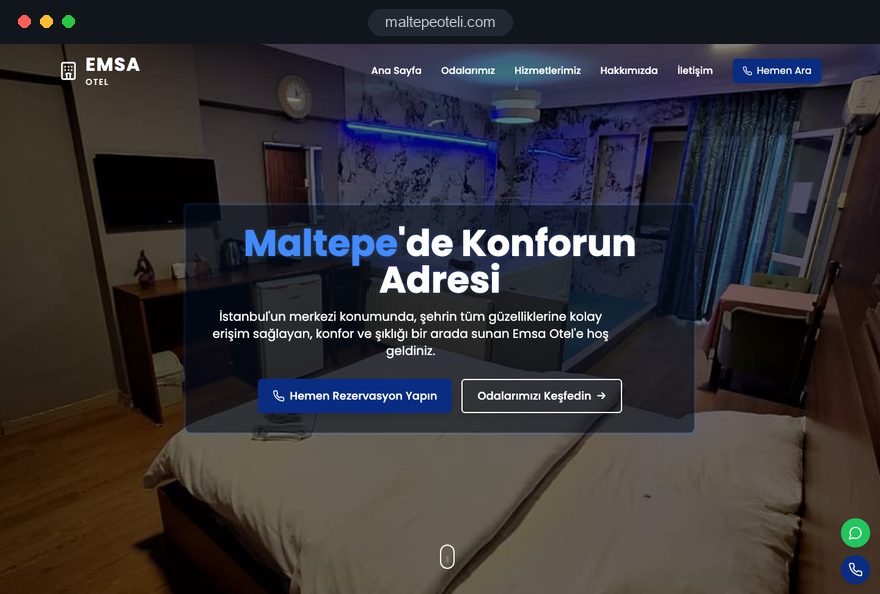
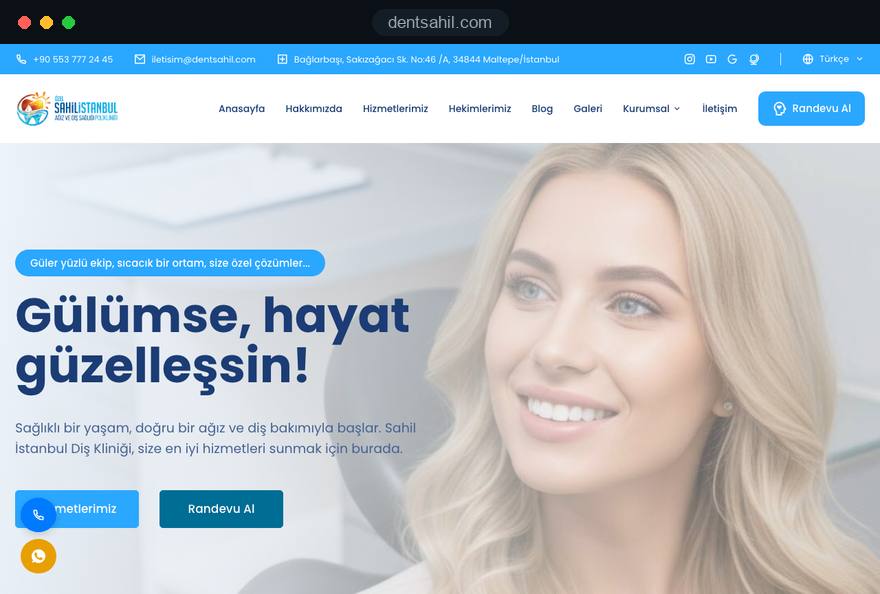
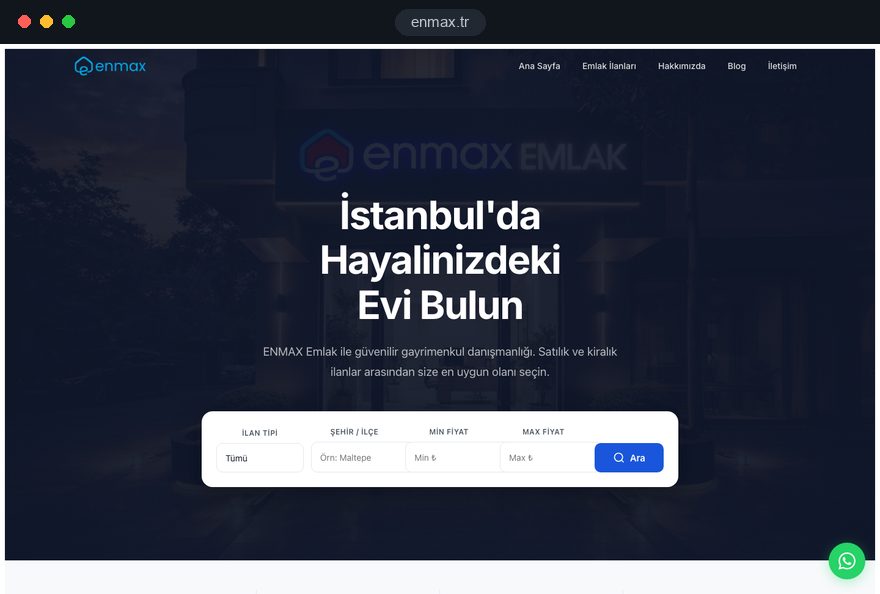
Then look at shipped work rather than slides. We have not completed a project in the United States; everything we have built so far is in Türkiye, including two software platforms our team designed and built. Our references page lists the live addresses. Open them on a phone over cellular data and submit a form, the way your own buyers would.
04Domain, Hosting, Code and Accounts in Your Company's Name
Every asset of the site should belong to the company entity, not to a founder's personal account and not to the agency. Startups feel this most during due diligence, when investors ask who controls the domain and the customer data.
- Domain: a .com is the default for valley firms; register it to the corporation or LLC at a registrar where your company holds the login, with auto renewal and two factor authentication switched on.
- Hosting and DNS: a West Coast data center region keeps response times short for Bay Area visitors. DNS, the record that tells browsers and mail servers where your domain points, should sit in an account your company controls.
- Source code: a repository in your organization's account, with written usage rights and licenses for fonts, themes and stock images issued to you.
- Analytics and ad accounts: Search Console, GA4, Google Business Profile and any ad account are created by the company; outside partners receive user access you can remove in one click.
- Form data: leads go into your CRM or inbox, never only into a vendor's dashboard.
Keep a one page access register: service, owner, renewal date, outside users.
05Six Online Stages From Kickoff to Launch
Our web design San Jose projects move through six stages, and a stage closes only after your written approval. Open tasks, finished items and anything waiting on your side are visible in our CRM at all times.
- Kickoff on video: readers, offers, competitors, languages and existing material. You receive a scope document that names every page and who supplies its content.
- Information architecture: the page tree and the key messages come first, because a security overview or a comparison table changes the layout.
- First screens: we design the homepage and one solution or service page, present them on a call and share a clickable preview; the remaining templates follow once you approve.
- Build on staging: development on a protected address, including forms, privacy pages, analytics and accessibility checks.
- Review round: your engineers check the technical claims, your sales team tests the demo flow, and we test every page on common phones and browsers.
- Launch and handover: the switch happens on a weekday morning Pacific Time, every form is tested on the live domain, and your editors receive a recorded walkthrough of the admin panel.
None of these stages requires travel. If your business ever takes you to Istanbul, you are welcome at our Ataşehir office; it is an option, never a step in the process.
06Local SEO From Downtown to Almaden Valley
For any business that serves people in person, local SEO, meaning visibility in map results and "near me" searches, starts with the Google Business Profile and is confirmed by your site. Both must show the same name, address, phone number and hours.
- Real business name: Google's guidelines require the name you use on signage and invoices, without added keywords such as "Top Rated San Jose Dentist".
- Storefront or service area: a salon in Japantown shows its address; an electrician driving to Evergreen, Cambrian and Blossom Valley can hide the address and list those areas instead.
- Directories that matter here: Yelp carries weight with Bay Area consumers, and the Better Business Bureau with older customers and contractors' clients; keep both identical to your profile.
- Reviews with detail: after a finished job, send one short link and ask the client to mention the service and the neighborhood. Reply to every review, critical ones included.
- One honest service area page: if you also work in Santa Clara, Milpitas or Los Gatos, describe that on a single page with real examples. Dozens of near identical pages per suburb are doorway pages, which Google treats as spam.
Our SEO service covers profile setup, review routines and the matching on site work.
07English First, and When Turkish or German Pays Off
English remains the main language for any San Jose company, because buyers, investors, regulators and job applicants read it. A second language earns its place only when a defined group of readers needs it and someone can keep it current.
- Turkish: useful if you employ developers in Türkiye, sell to Turkish companies, or serve Turkish speaking families and entrepreneurs in the Bay Area. Translate the pages they actually use: about, services, careers, contact.
- German: useful for a subsidiary whose headquarters, partners or customers sit in Germany, Austria or Switzerland. Sales collateral and case studies matter more than a full mirror of the site.
- Vietnamese or Spanish: for consumer businesses in East San Jose or along Story Road, a translated menu, price list or booking page can matter more than either of the above.
Technically, each language version gets its own URL, and hreflang annotations tell Google which version belongs to which language. Every version must reference the others and itself. Our multilingual website guide explains the structure, and a second language should never be a browser plugin that translates on the fly. Write down who owns each language and how quickly changes in English reach the translation.
08Speed, Hosting Region and Security for Technical Readers
Valley readers notice slow pages and missing security basics faster than most audiences, and Google measures the same things. Core Web Vitals are three field metrics: LCP, the time until the largest visible element loads, should be 2.5 seconds or less; INP, the delay between a tap and the visible response, 200 milliseconds or less; CLS, how much the layout jumps, 0.1 or less, all measured at the 75th percentile of real visits.
- Hosting region: choose a West Coast region and a content delivery network, so a visitor in Berryessa and one in Boston both get quick responses.
- Weight: product screenshots in modern formats, video loaded only on request, and no animation library for an effect a few lines of CSS can do.
- Security headers and TLS: HTTPS everywhere, current certificates and headers such as Content Security Policy. Technical reviewers sometimes check these with free scanners before a first call.
- Trust page: if you sell software, a dedicated page describing data handling, hosting location, subprocessors and how to report a vulnerability answers half of a security questionnaire before it arrives.
Before you brief anyone, run your current homepage through a contrast and mobile check; our color contrast checker shows in a minute whether text passes WCAG thresholds.
09Site Patterns for Software, Hardware, Campus and Visitor Businesses
The most common San Jose site types each have one page that decides whether a visitor converts, and the plan should start with that page.
- Software and SaaS vendors: the integrations page and the security page decide shortlists. Show supported systems by name, link documentation and offer a demo request with a calendar. Our SaaS website page goes deeper into feature and pricing page structure.
- Hardware, test and component suppliers: capability pages with tolerances, certifications, lead time policies and a request for quote form that accepts drawings. Engineers download spec sheets, so offer them as text pages as well as PDFs.
- Early stage startups: one clear product story, the team with real backgrounds, a careers section and a press kit. The startup website page covers what investors and candidates look for.
- Businesses near SJSU: fast mobile pages, student friendly hours and offers, and a map that shows the walk from campus.
- Hotels, restaurants and car services near the airport and convention center: hours, location, a booking or call button in the first screen, and event specific landing pages a few weeks before large conferences.
In any web design San Jose plan, write the one decisive page first; its structure then sets the template for the rest.
10US and California Rules Your Site Should Respect
There is no single federal privacy law in the United States, so a San Jose site follows a mix of state and federal rules. The points below are general orientation, not legal advice; have your final texts reviewed by a California attorney.
- CCPA: according to the California Privacy Protection Agency, businesses above certain revenue or data thresholds must let consumers know, delete and correct personal information, opt out of its sale or sharing and limit the use of sensitive data. Your privacy policy and any opt out link must work as described.
- ADA Title III: the Department of Justice's guidance says businesses open to the public must make goods and services offered online accessible to people with disabilities, and it points to WCAG as technical help. Contrast, keyboard use, form labels and alt text belong in the scope.
- CAN SPAM Act: per the FTC, commercial email needs accurate headers, a valid postal address and a working opt out honored within 10 business days, and the law makes no exception for business to business email.
- COPPA: sites directed at children under 13 that collect personal information need verifiable parental consent first, relevant for coding camps and tutoring.
- Sales tax for online shops: since the Supreme Court's 2018 decision in South Dakota v. Wayfair, states may require remote sellers without a physical presence to collect sales tax; confirm your obligations with a tax adviser.
11Relaunching Without Losing the Rankings You Have
A redesign keeps its search traffic when every old URL that earns visits or links has a clear new home on launch day. Valley firms often relaunch after a rebrand, an acquisition or a pivot, which is exactly when URL structures change the most.
- Inventory: export every indexed URL from Search Console, your sitemap and a crawl, and add the pages that receive backlinks or demo requests.
- Map: assign each old URL a single new target in a spreadsheet; retired product pages point to the closest successor or the category, never all to the homepage.
- Redirect: implement permanent 301 redirects on the server and test them before the switch.
- Protect staging: keep the test site behind a password rather than robots.txt, because a page blocked in robots.txt cannot have its noindex read.
- Monitor: after launch, submit the new sitemap, watch coverage and 404 reports for four weeks and fix gaps quickly.
Keep titles and the main copy of your strongest pages close to the originals in the first weeks, and change one variable at a time. Our website redesign page describes the full checklist.
12Six Mistakes on San Jose Business Websites
Weak valley sites rarely lack polish; they lack the specific answers their readers came for. Six common patterns and their fixes:
- Vision statements instead of specifics: "reimagining the future of data" tells an engineer nothing. Lead with what the product does, for whom and with which systems.
- Security answered only by email: make a public trust page with hosting, data handling and contact for security reports, then link it from the footer.
- Every page behind a demo form: gating all documentation slows evaluators down. Keep overview docs open and gate only material that truly needs a conversation.
- An unclear service area: "Bay Area" is too vague for a plumber or a clinic. State the neighborhoods and nearby cities you actually serve.
- A careers page that is just an embedded job board: add the team, the office situation, the hiring steps and the benefits in plain text, so candidates and search engines can read it.
- A privacy policy copied from another company: it describes tools you do not use. Write it from your real data flows and have counsel review it.
13What Shapes the Budget, Without Price Tags
Cost follows the scope you write down, not the city on your invoice; a San Jose company chooses from the same packages as our clients in Türkiye. These are the factors that move the effort up or down:
- Number of templates: a homepage, a service page and a contact page are less work than separate templates for solutions, integrations, case studies and documentation.
- Copy: whether you deliver approved texts or we write them, and how many technical review rounds your engineers need.
- Integrations: CRM, calendar booking, product analytics, single sign on for a customer portal or a headless CMS each add build and testing time.
- Languages: every extra language adds translation, review and a maintenance commitment.
- Compliance depth: a full accessibility audit, a consent tool configured for California and detailed trust content take more time than basic checks.
Packages and online purchase are on our web design pricing section. For a project with a documentation hub or custom integrations, a short call is enough to produce a written quote for your web design San Jose plan.
14Your First 90 Days and the Next Step
A new site starts paying back when someone measures it and acts on what the numbers show. Plan the first three months before launch day, not after it.
- Days 1 to 14: confirm that every form, demo request and phone link fires a conversion in GA4, check Search Console daily for crawl errors and fix broken redirects.
- Days 15 to 45: publish one substantial page your buyers keep asking about, such as an integration guide or a comparison, and request reviews from recent clients.
- Days 46 to 75: compare queries and landing pages with your original search list and improve the three pages with the most impressions and the fewest clicks.
- Days 76 to 90: review results with sales, decide on the next language or page group, and refresh the access register.
If you are comparing options for a web design San Jose project, prepare three things: your main reader, your ten most valuable searches and a list of the accounts you already own. Companies that also sell further south can read our San Diego page for a different California market. When you are ready, book a short video call at a time that suits your Pacific morning, and we will send a written scope afterwards.