The site slows down plugin by plugin
A slider, sharing buttons, ads, related posts and caching each come as a separate plugin. Each loads its own scripts, the front page opens slowly on phones and updates start to break each other.

Your Windows contrast theme is on; colours come from your system.
Your device is set to reduce motion; animations are already off.
Your choices are saved in this browser only.
Web design solution
A news website is less about choosing a theme and more about setting up an editorial system: what goes on the front page, which section it belongs to, whose byline it carries and when it goes live. We build that system without trading page speed and reader experience for ad revenue.
In short
A news website is a site built around regular publishing: a front page with top stories and a latest feed, section and author pages, scheduled posts that go live on their own, ad slots with reserved space and a visible published and updated date on every article. The structure is planned before the design, so the archive stays tidy and ads do not push the text around as readers scroll.
Talha Aslan and teamLast updated:
When you need one
For a handful of posts, a regular website with a blog section is enough. Once you publish every week, work with several writers and earn from ads, the problems below grow one by one.
A slider, sharing buttons, ads, related posts and caching each come as a separate plugin. Each loads its own scripts, the front page opens slowly on phones and updates start to break each other.
A reader starts an article, an ad loads and the text jumps down. They lose their place or tap the wrong thing, and the shift shows up in page experience metrics as well.
Without author pages and clear dates, neither readers nor search engines can judge how current an article is. Google recommends a visible, clearly labelled published or updated date that matches the structured data.
Without scheduling, drafts and an approval step, content only goes out when an editor is at the desk. Sections opened without a plan scatter the archive and readers cannot find older pieces on a topic.
Sources: Google Search Central: Add a byline date to Google Search results · Google Search Central: Article structured data
Our approach
We start with your editorial routine: how many pieces go out each day, how many writers you have, which sections are permanent and how much of your revenue comes from ads. The front page, section pages and article template are designed around those answers, with a front page that loads quickly on phones as the priority.
We choose the platform to fit: WordPress when editors need a familiar dashboard, a statically generated site when speed and low maintenance matter more. On Güncel Bilgin, our own publishing site, articles are scheduled ahead and the server publishes each one when its time comes.
Ad slots are drawn as part of the layout, not added as boxes later; their size is reserved in advance, so the text does not move. If you want your articles to rank, the same team carries on with SEO.
Every block serves the publishing flow: articles go out dated and signed, nothing gets lost in the archive, and ads never interrupt reading.
Which publication?
How often you publish, how you earn and what obligations apply decide the structure.
Local and trade news
For local or trade publications that put out many stories a day.
Guides and content
For sites that earn traffic with long-lived guides, explainers and tools.
Associations and companies
For associations, chambers and companies publishing for members or their industry.
What makes a news site
Each element answers the same question: do readers reach the right article quickly, and can the editorial team work without the site getting in the way?
The front page shows the editor's top story next to the latest feed. When the top story changes, the rest of the page reorders itself.
Sections are planned up front and each article has one main section. Author pages bring together the byline, a short bio and everything that person has written.
An article is set for a future date and time; when it comes, the server publishes it and updates the sitemap and RSS feed. Nobody needs to be online at that hour.
The number of slots per page is kept low and their size is reserved in advance, so ad revenue is protected while the text stays still and reading is not interrupted.
Images are compressed and loaded when needed, and unnecessary scripts are removed. Most readers arrive on phones, so we measure on mobile.
Every article shows when it was published and last updated, and changes can be recorded in a corrections note. Old pieces keep their URLs, so links from elsewhere keep working.
Comparison
| Topic | Off-the-shelf news theme | Site built for your publication |
|---|---|---|
| Speed | Heavy with demo content and plugins | Only the components you use, a light front page |
| Ads | Boxes added later, text that jumps | Reserved, limited ad slots |
| Sections | The structure the theme assumes | An archive planned for your publication |
| Authors | A name tag, often an empty author page | Signed articles and complete author pages |
| Dates and masthead | Fields that vary by theme and may be missing | Published and updated dates, masthead and contact in place |
| Maintenance | Theme and plugin updates can clash | A small number of known, documented parts |
Quick check
Must haves: does your site have them?
0 of 6 in place Tick the boxes to see where your site stands.
Added as needed
We choose which of these you need together during the scoping call.
Tell us how often you publish, how many writers you have and how you earn; we will come back with a site structure and a written quote.
Process
We define your business, your audience and the site’s one-sentence job: who it sells what to, through which action. Scope and timeline are written from that answer.
The home page and key templates come to you as designs first; no code is written before your approval. We do not like surprises, and we do not cause them.
The approved design becomes fast, secure, maintainable code. You follow progress in the CRM and see every page in a staging environment before launch.
The site goes live with analytics, Search Console and conversion tracking connected; panel training is given, first-year hosting and maintenance included.
Search, speed and tracking
Each article carries Article or NewsArticle structured data; headline, image, author and dates match exactly what is shown on the page.
New and updated articles appear in the sitemap with an accurate last modified date, and the RSS feed carries content to feed readers and subscribers.
Section archives use crawlable pages, permanent URLs do not change and older articles keep receiving links from new ones.
Core Web Vitals are measured with ads running; speed measured without ads does not reflect the page readers actually see.
Free tools
Test your headlines, article markup, sitemap and link previews before the new site is built.
Content
Score your headline on length, word balance, power and emotional words, type and sentiment, with Google and inbox previews.
SEO
Test your title and meta description with pixel-based measurement, desktop + mobile view.
Tech SEO
Generate rich-result JSON-LD for Article, Product, FAQ, Local Business.
Tech SEO
Build a valid sitemap.xml with lastmod and priority from your URL list.
Sharing
Preview how your link looks on WhatsApp, Facebook, X, LinkedIn and Telegram, and find missing Open Graph tags and image problems.
Content
Readability score with Flesch (EN), Ateşman (TR) and Flesch-Amstad (DE).
Real project
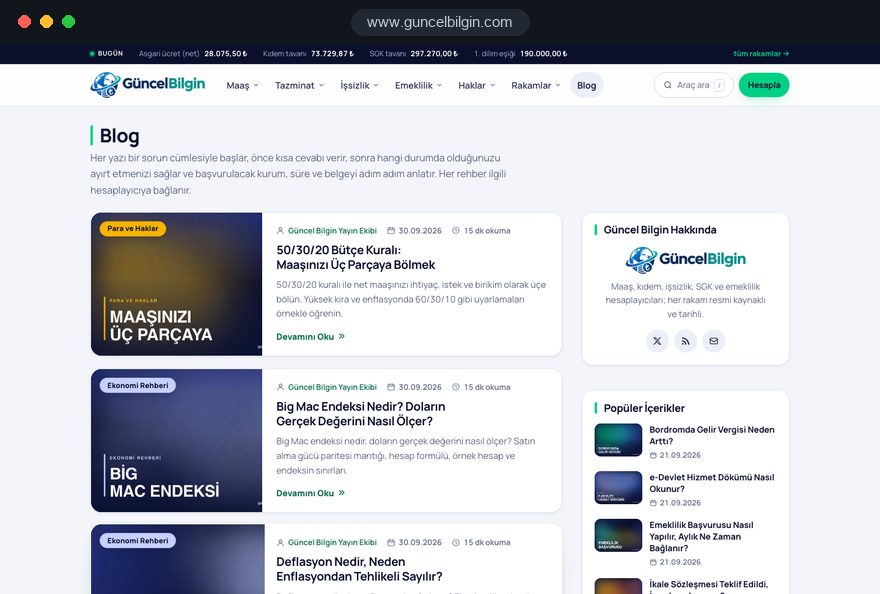
Güncel Bilgin is not a news agency; it is a Turkish content site with salary, severance and pension calculators and practical guides. We moved it from WordPress to a static build, and section and author pages, RSS and server-side scheduled publishing all run live there. See our other work on the references page.
Content and calculator site · publishing setup, scheduled posts, migration
Related pages
Solutions
Moving an existing news site without losing its archive or URLs.
Solutions
For publications that want to open part of their content to subscribers or members.
Solutions
For publishers running the same publication in several languages.
 Category Structure for Large Websites: The Right Architecture for SEO and User ExperienceRead article
 What Is E-E-A-T? How to Optimise Content for Google's Trust CriteriaRead article
 What Is a Headless CMS? Pros and Cons for Modern Web ProjectsRead article
 Sitemap lastmod: What It Is and How to Use It CorrectlyRead article
FAQ
If your question is not here, write to us; we will send you an answer and a written quote.
Next step
Tell us how often you publish, who is on your team and how you earn; after a free 15-minute call we will send a written scope and quote.
In-depth guide
A news website is not tested on launch day but six months later: hundreds of articles have piled up, three writers share the same dashboard, the ad network wants another slot and an old story needs a correction. Decisions skipped during design turn into costly technical debt at that point.
We, Talha Aslan and team, wrote this guide in the order we follow when we build a publishing site: the publishing model and legal frame first, then the archive, page templates and team workflow, then platform, ads, search and measurement. Each section gives you criteria you can apply to your own project or to a proposal from any agency.
The first decision that shapes a news website is what kind of publication you run. A local outlet that puts out dozens of short stories a day and a content site that publishes twenty long guides a month cannot share the same front page, archive or workflow. The first needs speed and ordering, the second needs topic clusters and a habit of updating older pieces.
Before the first call with any agency, write down answers to these questions:
A theme picked before these answers are clear usually brings the template of the wrong model, such as a trade magazine squeezed into a newspaper layout with a breaking news ticker.
Wherever you publish, some legal duties land directly in the site template, and they are much harder to add after launch than to plan from the start. The details depend on the country, so we design the fields and leave the legal assessment to your lawyer.
Examples from the markets we work in most:
In the template this becomes a permanent masthead page linked from the footer, a date line under every headline that fills itself, a corrections field editors can use in minutes and an archive policy where unpublished content is kept rather than deleted. Registration, regulators and editors' codes are questions for your legal advisor.
On a news website, the section structure is the most expensive decision to change after launch, because every change creates work on URLs, redirects and internal links. We therefore plan sections for the content you will publish two years from now, not just for what you have today.
We plan it in this order:
Tags need rules as well. Tag pages that hold one or two articles create thin pages that look like copies of each other. Keeping tag pages out of the index until they reach a set number of articles, and letting editors choose from an existing tag list rather than typing new ones, prevents that sprawl. To keep a page out of the index, leave it crawlable and add noindex; if robots.txt blocks the page, Google cannot read the noindex at all.
The front page has one job: show readers what matters today within seconds and carry them to the next click. A grid with a few boxes from every section does not do that job. The top story area is filled by an editor's decision, the latest feed fills itself by publication time.
When we design the front page, we look at these criteria:
The first screen on a phone is the most important decision on the page. The lead image, headline and date should load before ads and pop ups. We design the phone order first and treat desktop as its wider version.
A most read block should count only recent days, or a months old story sticks in the list and the front page looks stale.
Readers spend most of their time on individual article pages, not on the front page, so every part of the template must earn its place.
The components we recommend for an article template:
Link previews are part of the template too. When an article is shared in a messaging app or social network, the title, image and description should match the page. We add separate share image and description fields to every article and fall back to the lead image and standfirst when they are left empty.
Who wrote a piece directly affects whether readers trust it, so a byline should be more than a name tag. Search engines also use author information to understand who stands behind the content, and Google recommends that author markup link to a page that identifies the writer.
A complete author page includes:
On the structured data side, every piece carries Article or NewsArticle markup, and headline, image, author and dates must match exactly what the page shows. Google recommends a visible, clearly labeled published or updated date that matches the structured data; a date in the text and a different date in the markup leaves the search engine guessing which one to trust. You can check the markup your template produces with our schema markup tool before launch.
We also create a page for shared bylines such as "Newsroom". It explains which team stands behind that name and what your editorial principles are.
When publishing depends on one person's working hours, the site goes quiet whenever that person is on holiday; tying the workflow to roles and times removes that dependency. Every piece follows the same path, and each step shows who did what.
A typical article moves like this:
Permissions are set per person: writers see only their own drafts, editors manage everything and administrators add or remove users. When a writer leaves, their account closes but their articles and author page stay.
We run the scheduling part of this workflow live on Güncel Bilgin, our own publishing site. Güncel Bilgin is not a news agency; it is a Turkish content site with salary, severance and pension calculators and practical guides. Articles are scheduled ahead and the server publishes each one on time.
The platform for a news website is less a technology preference than an answer to how your team works: which dashboard editors work fastest in, and who maintains the site, how often.
We compare the options with these criteria:
Whatever the platform, we keep the dashboard simple: only the fields that content type needs, with free layout tools that could break the design switched off. When we moved Güncel Bilgin from WordPress to a static build, we made that choice based on publishing frequency and maintenance load, and we apply the same criteria to your project.
The platform question is at heart a website design decision, to be settled before design starts.
On an ad funded news website, ads and speed are not rivals; they are two sides of the same design decision. Ad slots are placed while the page is drawn, their size is reserved in advance and their number is limited, so the text does not jump when an ad loads.
Google's page experience metrics are the guide here. LCP, the time until the largest content on the page has loaded, should be 2.5 seconds or less; INP, how quickly the page responds to a tap, 200 milliseconds or less; CLS, how much content shifts while the page loads, 0.1 or less. These count as good when met at the 75th percentile of visits. On ad heavy pages, CLS is the value that breaks most often.
The rules we apply to ad placement:
We always measure speed with ads switched on. A test without ads does not reflect the page readers actually see.
Search visibility for a news website depends on technical order as much as on individual articles: search engines must find new content quickly, keep finding old content and know which date applies.
The technical points we watch:
Use our XML sitemap tool to see whether your sitemap is set up correctly. As output grows, internal linking matters more: when new articles link to older guides on the same topic, older content keeps being read and found. If you want article visibility handled together with your content plan, our SEO service is run by the same team. We do not promise rankings, but we make sure the technical foundation is complete.
Search and social traffic rise and fall; what keeps a publication alive is readers coming back on their own. That is why at least one return channel goes into the design from day one.
For measurement, look beyond page views. Returning reader share, newsletter signups, scroll to the end of an article and clicks to related pieces show which content really adds value. Defining these on day one gives you comparable data six months later.
Analytics and ad tools process personal data, so a privacy notice is required, and readers in the EU must consent before non essential cookies are set. We design the consent banner like an ad slot, with its space planned so it does not cover the lead story or shift the page when it appears.
For an established news site, the archive is the most valuable asset; every URL lost in a migration takes its links and search traffic with it. We treat migration as an inventory job, not a design job.
When we moved Güncel Bilgin off WordPress, thousands of old URLs were handled this way. The detail most often missed is dates: imported articles must not all look as if published on one day.
If you are thinking of renewing an existing site, we describe the full process on our website redesign page; for news archives the same steps apply, with a larger inventory.
We see the mistakes below on news website projects again and again, and all of them can be avoided cheaply during design.
When choosing a partner for a news website, look less at design samples and more at how many questions the agency asks to understand your editorial routine. A proposal that never asks about your publishing frequency, team and revenue model is most likely the installation of a ready made theme.
We suggest asking every agency you talk to:
You can see the setup we use on our own publishing site, along with our other work, on our references page. If you are thinking of a simpler company site or blog, our fixed packages are listed under web design pricing; news and publishing sites are priced with a written quote based on scope.
For your news website, tell us briefly how often you publish, who is on your team and how you earn through our contact page. After a short call we send the site structure, workflow and scope we recommend in writing.
Start a Project
Thanks {name}, we've received your brief. We usually reply within the same day.
What happens next?